
In This Article
Learn how to effectively run Instagram ads for consumer apps, from setup and targeting to optimizing campaigns and leveraging AI tools.
Updated:
Trusted by 1,000+ teams
Startups use Averi to build
content engines that rank.
Running Instagram ads for consumer apps can be highly effective, given the platform's 2 billion monthly users, 60% of whom are under 34. Instagram’s visual nature, combined with ad formats like Stories, Reels, and App Install ads, makes it ideal for showcasing app features and driving downloads. This guide walks you through setting up campaigns, targeting audiences, crafting engaging visuals, and optimizing performance to lower costs and boost installs.
Key Takeaways:
Set up your foundation: Use a Business Account, Meta Business Suite, and ensure tracking compliance (SKAdNetwork for iOS, Google Play Referrer for Android).
Define goals and audiences: Choose objectives like App Installs or Engagement and target users based on demographics, interests, and behaviors.
Create effective ads: Use formats like Stories or Reels and highlight app features with clear CTAs in vertical video formats (9:16).
Monitor and optimize: Track metrics like CPI, ROAS, and retention rates. Adjust budgets, refresh ad creatives, and target high-performing segments.
Scale and automate: Gradually increase budgets or test new audiences. Use AI tools like Averi AI to simplify campaign management and improve efficiency.
Instagram's precise targeting and immersive ad formats allow app marketers to connect with the right audience, reduce costs, and drive meaningful installs. Dive into the details below to maximize your app’s growth.
How to Run Facebook and Instagram App Install Ads For Games & Apps
Step 1: Set Up Your Instagram Ad Foundation
Laying the groundwork for your Instagram ad campaigns is essential for driving app installs effectively. This means linking the right accounts, configuring management tools, and ensuring compliance with app tracking policies. A proper setup minimizes the risk of complications later on.
Create an Instagram Business Account
Start by switching your personal Instagram profile to a Professional Account and selecting the "Business" option. Connect it to a Facebook Page that aligns with your app’s branding. Make sure your profile is complete by adding your app's category, contact details, and a URL that directs users to your app store page or landing site.
Switching to a business account also gives you access to Instagram Insights, a tool that provides performance data for your organic content. This data will become useful when building ad audiences based on user engagement with your posts.
Set Up Meta Business Suite for Campaign Management
Meta Business Suite is your go-to platform for managing Instagram ads, tracking their performance, and collaborating with team members. A proper setup ensures smoother campaign management and more accurate reporting.
Visit business.facebook.com and add both your Instagram account and connected Facebook Page to your business portfolio. Invite team members to collaborate and assign roles - Admins get full access, while Advertisers focus solely on ad creation. Add a payment method, set spending limits, and enable automatic payments for convenience.
In the Events Manager section, create a Facebook Pixel if your app uses a website or landing page. While the pixel won’t track in-app events, it can monitor visits to your landing page and help you retarget users who showed interest but didn’t download your app.
Finally, configure your ad account settings, including time zone, currency, and notifications, to match the preferences of your primary audience. This ensures your performance data aligns with your campaign goals.
Ensure App Tracking Compliance
Adhering to app tracking policies is key to accurate measurement and avoiding policy violations. Platforms like Apple and Google have introduced stricter privacy measures, so it’s important to configure tracking correctly for both iOS and Android.
For iOS: Set up SKAdNetwork in Events Manager and add Meta’s SKAdNetwork ID to your app’s Info.plist file.
For Android: Configure the Google Play Install Referrer in the Play Console and link it to your ad account.
To go beyond basic installs, set up app events to track user actions like account registration, tutorial completion, or first purchases. These events help you identify and optimize for users who are more likely to engage with your app over the long term.
If your app supports server-side tracking, consider using the Conversions API. This method ensures more reliable data transmission, especially as privacy regulations continue to evolve.
Before moving forward, test your entire tracking setup in Meta’s Test Events tool. This step verifies that your data is being collected accurately in real time. With your foundation in place, you’re ready to move on to defining your campaign goals and targeting strategies.
Step 2: Define Your Campaign Goals and Target Audience
Setting clear objectives and understanding your target audience are essential for running successful ad campaigns. These steps help ensure precise targeting and improved ad performance.
Choose the Right Campaign Objective
Your campaign’s objective should align with your overall goals. For example:
If your focus is on app downloads, select App Promotion.
For boosting engagement, opt for Engagement.
To drive in-app actions or sales, choose Conversions or Sales[1][2].
If you’re aiming to direct users to your app store page or a specific landing page, the Traffic objective can be a practical choice [1].
Target Your Audience
Instagram offers robust targeting options based on demographics, interests, behaviors, and past interactions. Start by analyzing your customer data - such as age, gender, location, and interests - to build a profile of your ideal user. This information can also help you create lookalike audiences to reach potential users with similar characteristics [3].
Demographic Targeting: Narrow your audience by factors like age, gender, and location. For consumer apps, location targeting is especially important, as app store availability and user behavior often vary by region [3].
Interest and Behavior Targeting: Refine your reach by focusing on user activities and preferences. For instance, if you’re promoting a fitness app, target users interested in health, wellness, or fitness influencers [3].
Custom and Lookalike Audiences: Reconnect with users who’ve previously engaged with your brand using custom audiences. Lookalike audiences, on the other hand, help you find new users who share traits with your most loyal customers [3].
Test and Refine Audience Segments
Adjusting your audience targeting is a key part of optimizing campaigns. Start by creating three to five distinct audience segments based on factors like age, interests, or geographic location. Run each segment as a separate ad set with the same creative and budget to gather performance data [3].
Use A/B testing to compare how different audience segments perform. Instagram Insights can also provide valuable information about which demographics are engaging most with your content. Use this data to refine your targeting and exclude underperforming segments [3].
As you identify your best-performing audiences, consider expanding them by increasing budgets or slightly broadening the targeting criteria. Conversely, pause or narrow down segments that consistently show low engagement or high acquisition costs.
Step 3: Create Effective Ad Content
Now that your campaign groundwork is solid, the next step is crafting ad content that grabs attention and turns views into app installs. Your visuals and messaging need to stop users mid-scroll and persuade them to download your app.
Choose Instagram Ad Formats
Instagram provides a range of ad formats, each suited to different promotional goals. Here's a breakdown of options:
Single image ads: Perfect for spotlighting your app's interface or a standout feature. They load quickly, making them a good choice for users with slower internet speeds.
Video ads: These allow you to demonstrate app usage in action. Keep the videos short - 15 to 30 seconds is the sweet spot.
Stories ads: These full-screen, vertical ads appear seamlessly between user stories, offering an immersive experience that feels native to the platform.
Reels ads: Reels are heavily promoted by Instagram's algorithm and appear in the Reels feed, reaching users beyond your followers. This format is ideal for showcasing app features in an engaging, entertaining way.
Collection ads: While often used in e-commerce, they can work well for apps too. These ads combine a cover image or video with multiple images below, making them great for highlighting several app features or user testimonials in one unit.
Once you’ve chosen your format, focus on creating visuals and text that resonate with your audience.
Design High-Performing Ads
For Instagram, vertical video format is non-negotiable. Ads designed in a 9:16 aspect ratio maximize the mobile screen space, while horizontal videos appear smaller and less engaging. Make sure your app’s interface is clearly visible, include strong calls-to-action (CTAs), and keep text minimal to ensure users quickly grasp your message.
Consistency in branding is also key. Use your app’s colors, fonts, and overall visual style to create a unified experience from the ad to the app store and, ultimately, to the app itself. This builds trust and recognition.
Incorporate social proof wherever possible. Highlight user ratings, download milestones, or testimonials - these elements can enhance your app’s credibility and encourage downloads. For example, if your app has thousands of 5-star reviews, display that prominently in your ad.
Use Dynamic Creative Optimization
Dynamic Creative Optimization (DCO) is a game-changer for improving ad performance. It allows Instagram’s algorithm to test various combinations of your ad elements - headlines, descriptions, images, and videos - to identify the most effective pairings for different audience segments.
Here’s how to make the most of DCO:
Upload multiple assets: Provide a variety of options - 3-5 headlines, 2-3 descriptions, and several images or videos. This gives Instagram more combinations to test and helps refine your campaign.
Let the algorithm work: Instagram will automatically rotate these combinations, learning from user interactions to identify what resonates most. Over time, it shifts your budget toward the highest-performing combinations, ensuring improved results without constant manual adjustments.
This approach not only keeps your ads fresh but also provides valuable insights. For instance, you might discover that a specific headline pairs best with a particular image or that one video outperforms others when paired with certain text. As the algorithm gathers data, your campaign becomes increasingly effective, helping you connect with your audience and drive installs more efficiently.
Step 4: Launch and Manage Your Instagram Ad Campaign
Launching a well-structured Instagram ad campaign requires careful planning, budget management, and ongoing monitoring to ensure your app gets the visibility it deserves.
Set Budgets and Bidding Strategies
Your budget and bidding approach directly impact how far your ads reach and the cost per app install. To start, allocate daily budgets, as they allow for better control during the testing phase. If you're experimenting with different audience groups, split your budget evenly across segments to gather clear insights on performance.
Instagram’s automatic bidding is a solid choice for optimizing bids in real time. However, if you have past performance data, you might want to set a bid cap for tighter cost control. Manual bidding offers more precision but requires frequent adjustments and is best suited for campaigns with enough historical data to guide decisions.
Campaign Setup Guide
Begin by opening Meta Ads Manager and clicking "Create." Choose "App Installs" as your objective, then link your app using its App Store or Google Play URL. Meta will automatically pull in your app's icon and description, streamlining the setup process.
Next, define your target audience using detailed parameters. For ad placements, focus on specific Instagram formats like Feed, Stories, and Reels to see which performs best for your app, rather than relying solely on automatic placements. Be sure to set your optimization event to "App Installs" so the algorithm prioritizes users likely to download your app.
In the "Budget & Schedule" section, input your daily budget and opt for continuous ad delivery. Once your ad set is configured, upload your creative assets and include a strong call to action, such as "Install Now" or "Download." After your campaign is live, consistent monitoring will help maintain its effectiveness.
Schedule and Monitor Your Ads
The first 48 hours of your campaign are crucial. Monitor performance closely during this period to catch and resolve issues like high costs or low impressions. Early adjustments can make a big difference.
Adapt your ad schedules to align with peak activity times across different time zones. If certain ad sets consistently underperform, pause them and redirect the budget to better-performing segments. However, avoid making too many changes too soon - Instagram’s algorithm needs time to learn and optimize.
For ongoing efficiency, consider setting up automated rules in Ads Manager. For instance, you can configure rules to pause ad sets that exceed your target cost or spend significantly without delivering results. This ensures you’re not wasting your budget during times when you can’t actively monitor the campaign. Continuous optimization will help you achieve a stronger return on investment in 2025 [5][6][4].
Step 5: Measure Results and Optimize Campaign Performance
Once your ad campaigns are live and running, the real work begins. Measuring performance and making data-driven adjustments are key to ensuring long-term success. Here's how to track critical metrics and refine your campaigns for better outcomes.
Track Key Metrics and Conversion Events
Start by monitoring your primary metric, cost per install (CPI), but don’t stop there. CPI alone won’t give you the full picture of your campaign’s effectiveness. Dive deeper by tracking post-install events that reveal user quality and lifetime value. These events might include actions like account creation, a first purchase, or completing onboarding - steps that help you understand how engaged and valuable your users are over time.
To set this up, use Meta Ads Manager’s Events Manager. Configure your app events with tools like the Facebook SDK or third-party platforms such as Adjust or AppsFlyer. These tools ensure Instagram’s algorithm can identify high-value users who are more likely to stick around and engage with your app.
For campaigns generating revenue, return on ad spend (ROAS) becomes a critical metric. Calculate ROAS by dividing the revenue from new users by the total ad spend. For instance, a 3:1 ROAS means you’re earning $3 for every $1 spent. Subscription-based apps should also focus on metrics like day-7 retention rates and average revenue per user (ARPU) to evaluate long-term performance.
Additionally, keep an eye on click-through rates (CTR) and conversion rates at the creative level. A low CTR might indicate that your visuals or messaging aren’t connecting with your audience. On the other hand, a low conversion rate could point to issues with your app store listing or onboarding process. Use these insights to refine your approach and improve results.
Optimize Campaigns with Data
Use data to identify which audience segments deliver the best results. For example, shift budgets toward groups with low CPI and high retention. Meta Ads Manager’s "Breakdown" feature allows you to analyze performance by age, gender, and location, helping you pinpoint your most effective demographics.
Be mindful of creative fatigue, a common challenge in Instagram campaigns. If you notice declining CTRs over several days, it’s time to refresh your visuals. Experiment with new angles that highlight different benefits of your app, such as convenience, entertainment, or productivity.
Automated rules can take care of routine adjustments around the clock. For instance, set rules to pause ad sets if CPI exceeds your target by 50% or if a certain spend threshold is reached without conversions. You can also use rules to automatically increase budgets for high-performing ad sets.
If your CPI is higher than expected - for example, $4.50 instead of your $3.00 target - consider lowering your bid cap or switching to cost cap bidding. Regularly review placement performance as well. For instance, Stories ads might bring in cheaper installs but lower-quality users, while Feed ads could cost more but attract users with better retention. Allocate your budget based on whether your priority is volume or quality.
Scale Successful Campaigns
Once your campaign metrics stabilize, it’s time to scale what’s working. Scaling requires a deliberate approach to avoid disrupting the algorithm’s learning process. When increasing budgets for successful ad sets, do so gradually - around 20-50% every few days - to maintain performance without resetting the algorithm.
Horizontal scaling involves duplicating your top-performing ad sets and making slight adjustments. For example, if your winning audience is “fitness enthusiasts aged 25-34,” try expanding to broader groups like “health and wellness interests” or adjust the age range to 22-40.
Vertical scaling, on the other hand, focuses on increasing the budget for existing high-performing ad sets. As long as your CPI stays stable or improves, continue scaling. If costs start to rise, scale back and try smaller budget increases.
Explore additional Instagram placements to broaden your reach. If Feed ads are performing well, test the same creative on Stories or Reels. Each placement caters to different user behaviors, so don’t be surprised if performance varies.
Lastly, leverage lookalike audiences to target users similar to your highest-value customers. Upload a list of users who completed key in-app actions, then create 1% lookalike audiences for testing. These audiences often perform well because they closely mirror the traits of your best users.
Keep an eye on your daily spend pacing to ensure you’re hitting budget targets without overspending. If your campaigns are burning through budgets too quickly, consider adjusting ad scheduling to focus on peak performance hours or implement dayparting to control when ads are shown. This ensures your budget is used effectively and aligns with audience behavior.
Step 6: Use AI Tools to Streamline Instagram Ads
Running Instagram ad campaigns manually can feel like an uphill battle, especially when managing multiple ad sets, creative variations, and performance metrics. AI tools can simplify this process, taking care of repetitive tasks like ad creation, targeting, and tracking, and letting you focus on the bigger picture - growing your consumer app.
How Averi AI Simplifies Campaign Management
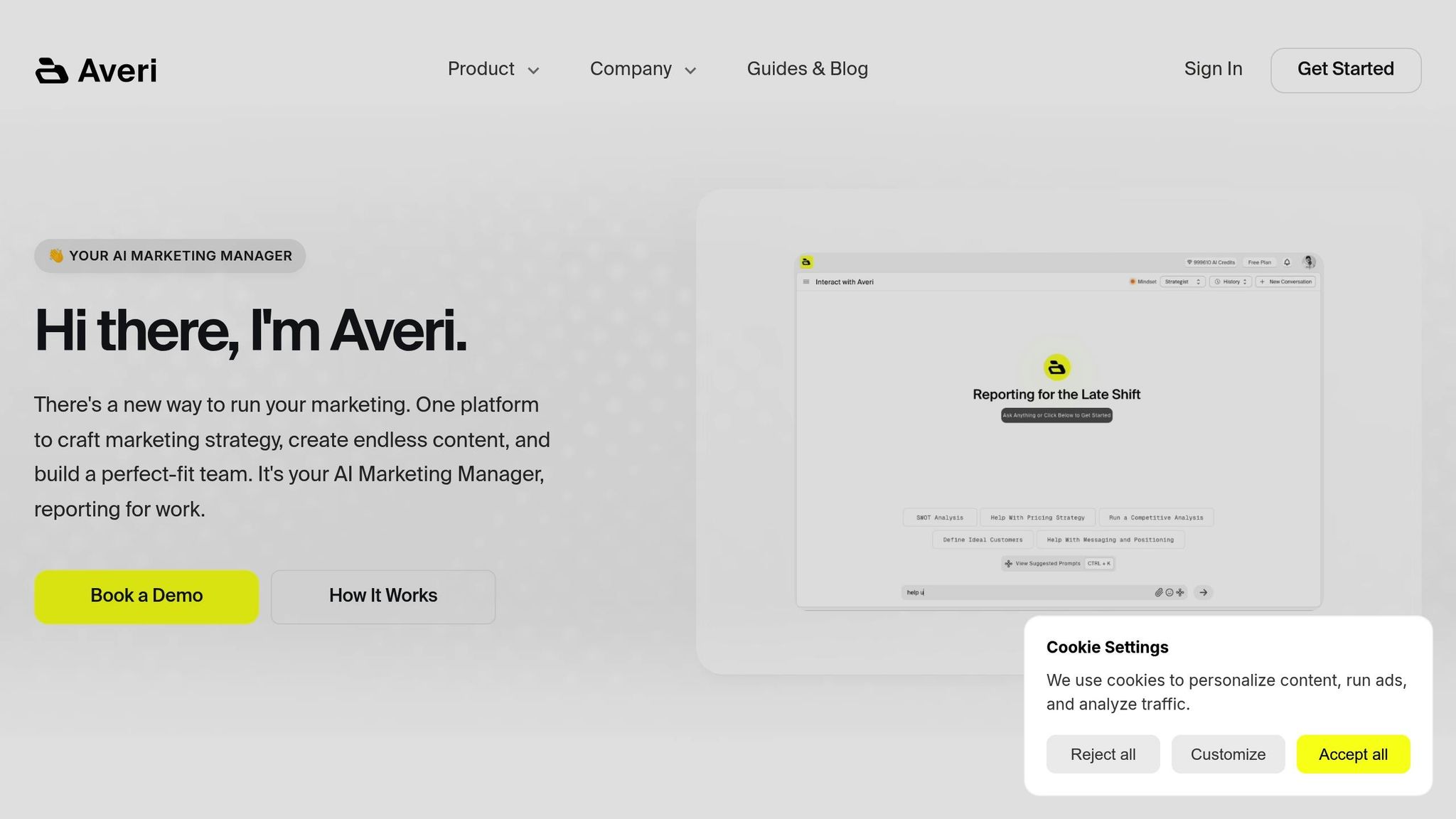
Averi AI is more than just another AI tool; it’s a marketing workspace that blends artificial intelligence with human expertise to tackle the challenges of Instagram advertising. Unlike tools that only generate content based on prompts, Averi’s Synapse architecture evaluates campaigns strategically, knowing when to involve human specialists for tasks that require creative or strategic input.
At the heart of Averi is its AGM-2 model, designed specifically for marketing. It understands the intricacies of ad copy, audience targeting, and campaign optimization, helping you create content that aligns with your app’s branding and goals. AGM-2 even minimizes the need for edits, producing polished, brand-safe materials right out of the gate.
The platform’s Adaptive Reasoning feature ensures that the depth of analysis matches the complexity of your task. For quick ad copy variations, it works in a fast express mode, but for more complex decisions, it automatically performs a deeper dive - no extra setup required.
Averi also anticipates your needs through its Command Bar, which might suggest optimized audience segments or budget tweaks after you upload creative assets. Adventure Cards then offer actionable recommendations, like testing new creative angles or expanding on successful ad sets. And when AI alone isn’t enough, the Human Cortex feature connects you with experienced marketing specialists for advanced strategy or troubleshooting, all within the same workflow. This approach eliminates the inefficiencies of manual processes.
Manual vs. AI-Powered Workflows
Traditional ad management involves time-consuming tasks like creating multiple ad versions, researching audiences, tracking metrics, and compiling reports. Averi AI automates these repetitive steps, freeing you up to focus on creativity and strategic decision-making.
Integrating Averi AI with Your Marketing Tools
Averi AI doesn’t just manage campaigns - it integrates seamlessly into your broader marketing setup. It connects directly with Meta Ads Manager, allowing you to push configurations, creative assets, and optimization changes directly into your campaigns. This integration ensures your ads go live quickly, while performance data flows back into Averi for continuous refinement.
The platform also works with popular CMS, CRM, and collaboration tools, making it easy to fit into your existing workflows. For consumer apps, Averi supports mobile attribution platforms like Adjust and AppsFlyer, so you can optimize campaigns based on post-install user behavior, not just install numbers. Its API access even allows for custom integrations with proprietary tools, giving you flexibility to tailor the platform to your specific needs.
Step 7: Advanced Strategies and Common Mistakes
Once you've nailed the basics of Instagram advertising for consumer apps, it's time to take things up a notch. Advanced strategies can give your campaigns an extra edge, but it's just as important to steer clear of common mistakes that could derail your progress.
Retargeting Strategies for App Engagement
Retargeting based on user behavior within your app can be a game-changer. Instead of focusing solely on people who visited your app store page, you can create custom audiences tied to specific in-app actions. For example, if users complete onboarding but don’t convert, they’re prime candidates for a follow-up ad that nudges them toward taking the next step.
To make the most of retargeting, set up custom audiences based on these in-app events. You can also use sequential retargeting, which adjusts ad creatives depending on where users are in their journey. New downloaders might see ads showcasing your app's standout features, while less active users could be enticed with special offers or updates to re-engage them.
Timing plays a critical role here. Ads shown shortly after a user’s interaction tend to perform better, while delays may require more enticing offers to grab attention.
Creative Refresh Best Practices
Ad fatigue is real, and it can tank your engagement rates if left unchecked. Regularly refreshing your ad creatives is essential to maintaining strong performance.
Keep an eye on your ad frequency, and as soon as you notice engagement dropping, rotate in fresh creatives. Have a few variations ready to go, testing different hooks, visuals, and calls-to-action. This lets you keep what works while experimenting with new ideas.
Incorporating user-generated content, like screenshots of positive reviews or real-life usage examples, can breathe new life into your campaigns while also building trust with your audience. Seasonal themes or trending topics can also keep your ads feeling timely and relevant, though these will need more frequent updates to stay fresh. These practices help you avoid the common pitfalls of stale or irrelevant content.
Avoid Common Mistakes
Mistakes can cost you time and money, so it’s important to sidestep these common issues:
Ad Rejections: Instagram has strict guidelines for ad copy and visuals. Double-check that your creatives comply to avoid unnecessary rejections.
Overly Narrow Targeting: While precise targeting is valuable, going too narrow can hurt your reach. Consider using lookalike audiences or broader interest categories to expand your potential pool of users.
Premature Optimizations: Resist the urge to make big changes too quickly. Allow enough time for the algorithm to gather data and identify top-performing segments before making adjustments.
Spreading Budgets Too Thin: Allocating your budget across too many small ad sets can limit the data available for optimization. Instead, focus on fewer, well-performing ad sets to gain deeper insights.
Neglecting Post-Install Metrics: It’s not just about getting installs - track what users do after downloading your app to measure long-term value.
Finally, make sure your mobile creatives are optimized. Text and visuals should immediately communicate your app’s value and be easy to understand at a glance. By keeping these strategies and pitfalls in mind, you’ll set your campaigns up for sustained success.
Conclusion: Key Points for Running Instagram Ads
Achieving success with Instagram ads for consumer apps hinges on mastering a few essential strategies that work together to deliver meaningful results. Start with the basics: set up a Business Account, configure Meta Business Suite, and ensure all tracking measures are in place.
Every component of your campaign plays a role in its success. Precise, data-backed targeting is critical. Instagram's tools, like Custom Audiences and Lookalike Audiences, enable you to zero in on users most likely to install and engage with your app. The secret lies in testing different audience groups and refining your approach based on performance metrics instead of relying on assumptions.
Instagram is a visual-first platform, so your ad creatives need to stand out. Authentic, engaging visuals perform better than overly polished corporate content. In fact, user-generated content achieves click-through rates that are four times higher and reduces cost-per-click by 50% compared to traditional ads [7]. Whether you're using Stories, Reels, or Feed placements, your visuals should immediately highlight your app's value and include a clear, actionable call-to-action.
Keep an eye on key metrics like cost-per-install (CPI), return on ad spend (ROAS), and in-app engagement to fine-tune your campaigns. Regularly updating your creatives helps avoid ad fatigue, while allocating budgets based on performance data ensures you’re investing in what works best.
Tools like Averi AI take optimization to the next level by automating tasks such as creative variations and providing real-time insights. This allows you to focus on strategy and creative direction instead of getting bogged down in campaign management.
FAQs
How can I measure the success of my Instagram ads for consumer apps?
To gauge how well your Instagram ad campaigns for consumer apps are performing, focus on key performance indicators (KPIs) such as click-through rate (CTR), conversions, and cost per result (CPR). These metrics provide a clear picture of how effectively your ads are driving user engagement and app installs.
Leverage Meta Ads Manager to monitor detailed metrics like impressions, reach, and return on ad spend (ROAS). You can also dig deeper by using breakdowns to assess performance based on audience demographics, ad placements, or devices. These insights enable you to make data-backed adjustments and refine your campaigns for better results over time.
What are the best ways to retarget users who have already interacted with my app?
To re-engage users who have interacted with your app, it's important to focus on ads that feel personal and relevant to their behavior. For instance, if someone stopped using the app shortly after downloading it, consider offering targeted incentives or gentle reminders to draw them back in.
Another effective approach is using deep linking, which allows you to direct users straight to specific features or content within the app. This makes the experience smoother and more engaging. Additionally, implementing sequential retargeting campaigns - where your messages adapt based on the user's actions - can keep your outreach meaningful and help foster a stronger connection over time.
How can AI tools like Averi AI simplify and improve Instagram ad campaigns for consumer apps?
AI platforms like Averi AI simplify the process of managing Instagram ad campaigns by automating essential tasks such as audience targeting, budget adjustments, and performance tracking. By leveraging data-driven insights, these tools fine-tune campaigns over time, delivering better outcomes with minimal manual intervention.
What sets Averi AI apart is its ability to function as a comprehensive solution. It assists businesses in crafting personalized marketing strategies, creating compelling ad content, and streamlining operational workflows. This enables teams to concentrate on expanding their campaigns without compromising on quality, all while optimizing their return on investment (ROI). For businesses looking to grow, tools like Averi AI offer the precision and efficiency necessary to thrive.
Related Blog Posts

Zach Chmael
CMO, Averi
"We built Averi around the exact workflow we've used to scale our web traffic over 6000% in the last 6 months."
Your content should be working harder.
Averi's content engine builds Google entity authority, drives AI citations, and scales your visibility so you can get more customers.