Content Engine vs. Content Calendar: Why Planning ≠ Publishing

Zach Chmael
Head of Marketing
6 minutes

In This Article
85% of marketers use a content calendar. Most still publish inconsistently. The gap between planning and publishing is what separates calendars from engines.
Updated
Trusted by 1,000+ teams
Startups use Averi to build
content engines that rank.
TL;DR
📅 85% of businesses use a content calendar but most still publish inconsistently. The calendar is the plan, not the execution. The gap between the two is where most content programs die.
⚙️ A calendar covers 1 of 6 jobs in content operations: scheduling. The other 5 — research, drafting, optimization, publishing, analytics — happen outside the calendar in disconnected tools and tabs.
🔄 A content engine handles all 6 jobs in one workflow. Strategy → research → draft → optimize → publish → measure → recommend what's next. The calendar becomes an output, not a separate tool.
🎯 The shift matters most for solo founders and 0-2 person teams. A calendar requires a person to execute everything around it. An engine executes the work and asks the human for judgment at the moments that matter.
🛠️ Calendars peak around $29/month. Content engines start around $99/month — three times the cost, but they replace the entire stack of 12-20 disconnected tools most teams stitch together to actually publish.

Zach Chmael
CMO, Averi
"We built Averi around the exact workflow we've used to scale our web traffic over 6000% in the last 6 months."
Your content should be working harder.
Averi's content engine builds Google entity authority, drives AI citations, and scales your visibility so you can get more customers.
The Content Engine vs. Content Calendar Debate: Why Planning ≠ Publishing
85% of businesses now use a content calendar. Organized marketers are 674% more likely to report success than those without a documented plan.
And yet most startups with a beautifully built content calendar still publish inconsistently, miss their cadence, and abandon the calendar by week six.
The reason isn't laziness. It's structural.
A content calendar tells you what to publish and when.
It doesn't draft anything. It doesn't optimize anything. It doesn't publish anything. It doesn't measure anything. It doesn't tell you what to do next based on what worked.
A calendar is a plan. An engine is a system.
You can have a perfect calendar and still have a broken content operation. Most startups do.
This piece breaks down the gap — what calendars do, what they can't do, and why the move from "planning content" to "running a content engine" is the difference between aspiration and execution.
See what your Content ROI could be with the right system
What a Content Calendar Actually Does (And Doesn't Do)
A content calendar is a planning tool. It shows you what's scheduled, what's drafted, what's published, and what's overdue. The good ones have status fields, owners, primary keywords, channels, and deadlines.
The market is mature.
CoSchedule, Loomly, Notion templates, Airtable bases, Google Sheets — there are dozens of solid options at $0-$29/month. Some are free. 11 of the 15 leading marketing calendar tools have free tiers.
Here's what every content calendar does well:
Capability | What It Looks Like in Practice |
|---|---|
Schedule visibility | You can see at a glance what's planned for next month, who owns each piece, and what stage it's in |
Editorial coordination | Multiple people can work on the same calendar, see dependencies, avoid double-booking topics |
Cadence tracking | You know whether you're hitting your publishing target (e.g., 4 posts/week) by looking at the dashboard |
Status workflow | Draft → editing → optimization → published statuses keep work moving |
Topic field structure | Forces discipline: every entry needs a primary keyword, channel, owner, and date |
These are real benefits. A calendar isn't useless. It does exactly what it claims to do — it organizes intent.
But here's what a content calendar doesn't do:
Missing Capability | What This Means in Practice |
|---|---|
Topic generation | The calendar shows scheduled topics but doesn't recommend new ones. You still have to do keyword research separately |
Drafting | The calendar tracks that a draft is "in progress" but doesn't write any of it |
SEO optimization | The calendar shows the target keyword but doesn't optimize the content for it |
GEO optimization | Most calendars haven't even added GEO fields. You optimize for AI citations entirely outside the system |
Publishing | The calendar marks "published" status but doesn't push the content to your CMS |
Performance feedback | The calendar doesn't show you which past posts are working. That data lives in a separate analytics tool |
Next-action recommendation | When you finish a piece, the calendar doesn't tell you what to do next based on what's compounding |
A calendar is the front-end UI for a content operation.
The actual operation runs in 8-12 other tools you have to coordinate manually.
The calendar just shows you whether you remembered to do all the work somewhere else.
The 6 Jobs of a Content Operation (And Where Each One Happens)
Look at what it actually takes to publish one blog post that ranks. There are six discrete jobs, and most teams use a different tool for each one.
Job | What It Involves | Where Most Teams Do It | Who Connects It Back to the Calendar |
|---|---|---|---|
1. Strategy & topic selection | Keyword research, competitor analysis, identifying gaps | Ahrefs / Semrush ($99-$449/mo) + spreadsheet | The human, manually |
2. Research | Reading sources, gathering data, building outline | Browser tabs + Google Docs | The human, manually |
3. Drafting | Writing the actual content with brand voice | ChatGPT / Claude + Google Docs | The human, manually |
4. Optimization | SEO scoring, GEO scoring, internal links, schema | Surfer SEO / Clearscope ($89-$199/mo) | The human, manually |
5. Publishing | CMS upload, formatting, schema, image alt text | WordPress / Webflow / Framer (manual copy-paste) | The human, manually |
6. Analytics & feedback | Tracking performance, identifying refresh candidates | GSC + GA4 + Looker / spreadsheet | The human, manually (and rarely) |
The calendar sits separately, watching all of this happen, marking statuses as the human swings between tools.
It coordinates. It doesn't execute.
The cost of this separation isn't just dollars (though the dollars add up to $300-$700/month in tool subscriptions).
It's switching cost. Every tool transition is a context switch — you reload information into your head, navigate a new UI, copy data across, and try to maintain the thread of what you were doing.
Marketing teams use 12-20 tools at 49% utilization. The calendar itself is fine.
The fragmented operation it sits on top of is what breaks.
What a Content Engine Does Differently
A content engine collapses all six jobs into one workflow. The calendar becomes an output of the system, not a separate tool you maintain alongside it.
Here's the same six jobs, run through an engine:
Job | How an Engine Handles It |
|---|---|
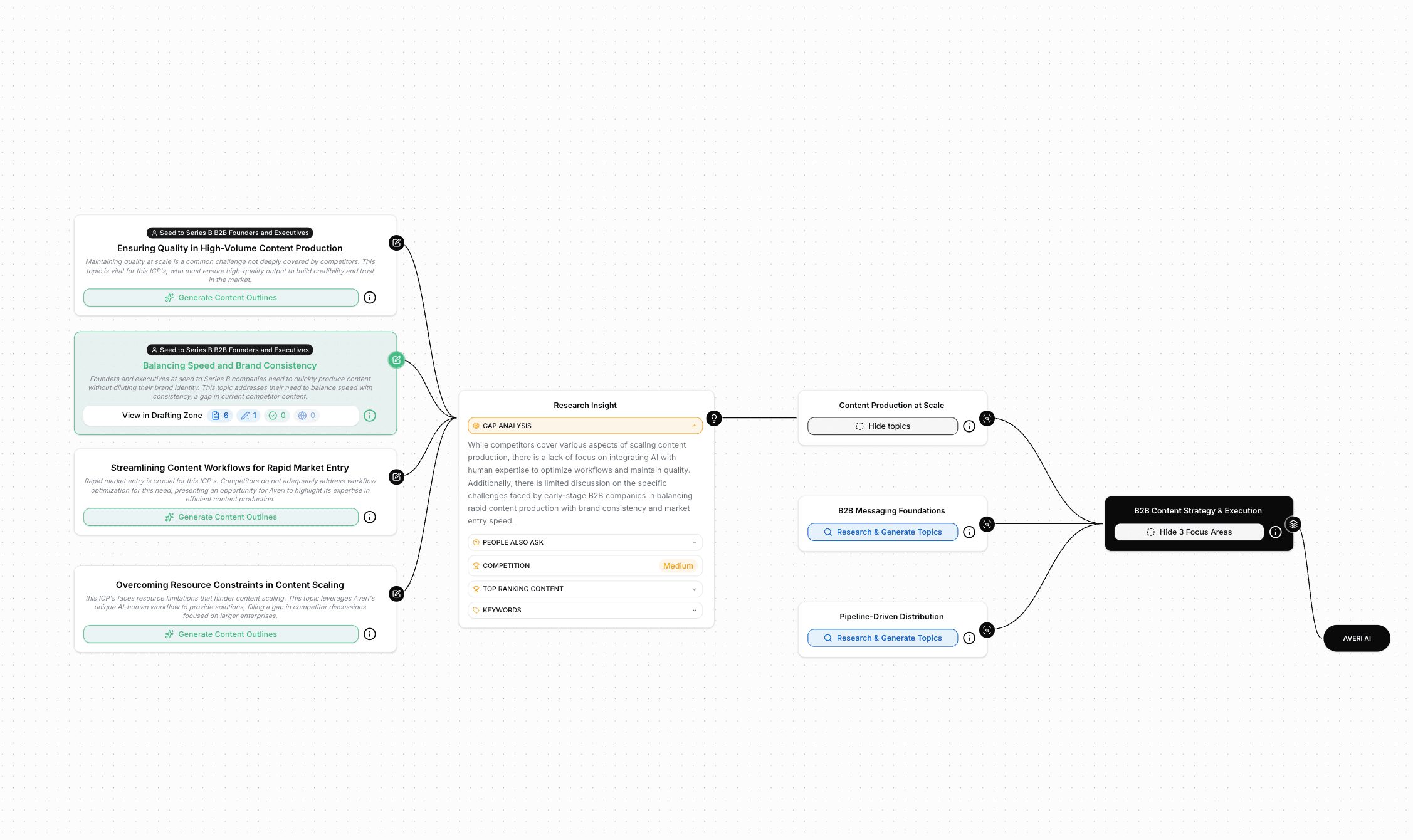
1. Strategy & topic selection | Strategy Map analyzes competitors, keyword gaps, and past performance. Generates topic recommendations. You approve or adjust. |
2. Research | The engine aggregates research, identifies citable sources, and surfaces unique angles based on what's already covered (and what isn't) |
3. Drafting | AI drafts using persistent Brand Core context, original research, and structural optimization built in. You edit for voice. |
4. Optimization | Content Scoring at 55% SEO + 45% GEO runs automatically. Specific structural fixes flagged before publish. |
5. Publishing | Direct publish to WordPress, Webflow, or Framer. Schema, metadata, internal links preserved end-to-end. |
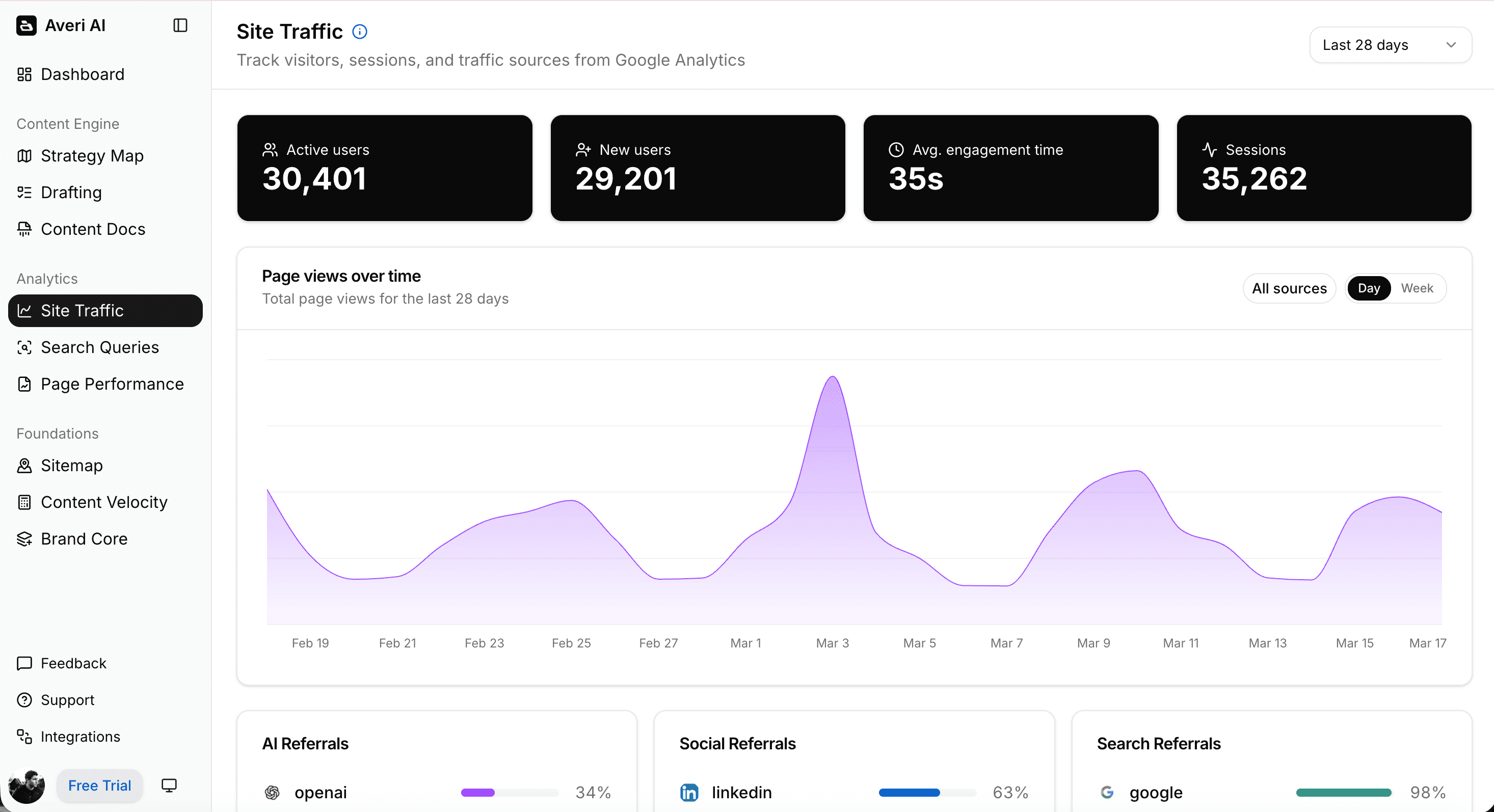
6. Analytics & feedback | Integrated GSC + GA4 + AI referral tracking. Underperforming content flagged for refresh. New topic recommendations factor in what's working. |
The calendar isn't gone. It's generated by the system.
You can still see what's scheduled, what's published, what's overdue.
But you didn't have to build the calendar — it emerged from the strategy and the queue. And every status update is real, because the system is the one moving content through the workflow, not a human marking checkboxes.
This is the structural difference.
A calendar requires you to do all the work and report back to it. An engine does the work and shows you the calendar as a side effect.
See how much you could save with a Content Engine
When a Calendar Is Enough (And When You Need an Engine)
Not every team needs an engine. Calendars work well in three specific scenarios.
A calendar is enough if:
You have a dedicated content team that already executes consistently. A 5-person content team with established workflows in 8 tools can use a calendar as the coordination layer. The team handles execution. The calendar handles visibility. This is the enterprise pattern, and it works at that scale.
You're publishing 1-2 pieces per month, mostly thought leadership. At low volume, the friction of switching between tools is manageable. You can write one piece per month without burning out, even if optimization, publishing, and analytics happen in separate places.
You have a part-time contractor or freelancer who handles execution. If someone else is doing the actual work, a calendar lets you coordinate with them without needing to integrate the operation. You're a project manager, not an executor.
You need an engine if:
You're a 0-2 person team trying to publish weekly. The math doesn't work. Switching across 6-8 tools per piece eats 15-20 hours of human time. Multiply by 4 pieces/month and your founder is doing nothing but content. The engine handles the mechanical work so the founder can spend time on the perspective and voice that make content worth reading.
You're scaling from "occasional posts" to "consistent publishing." This is the inflection point where most startups fail. The calendar reveals the gap (you're targeting 8 posts/month, you're publishing 2). It can't close it. The engine closes it.
Your CAC depends on organic traffic. If you're trying to build content as a primary growth channel — not a "we should also blog" afterthought — you need execution velocity, not better planning. Companies publishing 9+ posts/month see 35.8% YoY traffic growth — but only if they actually publish.
You can't afford a content team but need their output. $99/month for an engine vs. $5,000-$15,000/month for an agency or full-time hire. The math is the differentiator at startup stage.
The Real Question: Can Your Calendar Survive Contact With Reality?
Most content calendars look great in week one. Here's what happens by week six.
Week one. You build a 90-day calendar. 36 topics planned. Everything color-coded. All statuses set to "Planned." You feel good.
Week two. You publish 2 of the 3 scheduled posts. The third gets pushed to Friday because optimization took longer than expected. Status updated to "Delayed."
Week three. A customer interview reveals a new angle worth writing about. You add it to the calendar but can't publish it because the next 4 slots are already locked in. Frustration begins.
Week four. Two competitors publish on topics from your calendar. Now your scheduled pieces feel less differentiated. You're stuck deciding whether to publish them anyway or replan.
Week five. You miss a publish day because the post wasn't optimized. The "Delayed" column has 4 items now. The calendar starts looking like a graveyard of intent.
Week six. You stop opening the calendar. The aspirational version is too painful to look at. You publish reactively when you have time. The calendar is officially abandoned.
This pattern is so common it's almost a meme in B2B SaaS marketing circles.
The calendar isn't the problem. The execution friction the calendar exposes is the problem.
An engine doesn't solve this with better planning. It solves it by reducing the execution friction that breaks every plan.
When publishing a piece takes 2-3 hours of human time instead of 15-20, your calendar becomes achievable.
When the engine is generating the calendar from strategy and recommending what to publish next, the planning happens automatically.
When the system handles optimization and publishing, the "Delayed" column doesn't pile up.
A calendar tries to organize chaos. An engine reduces the chaos.
Pricing: What You Actually Pay For
A common pushback: "Why pay $99/month for a content engine when a content calendar is $0-$29/month?"
The answer is that you're not comparing the calendar to the engine. You're comparing the calendar plus everything around it to the engine.
Component | Calendar Stack | Content Engine |
|---|---|---|
Calendar / planning tool | $0-$29 (CoSchedule, Notion, Airtable) | Included |
Keyword research | $99-$449 (Ahrefs, Semrush) | Strategy Map included |
AI writing assistant | $20-$59 (ChatGPT Plus, Jasper) | Included with Brand Core context |
SEO optimization tool | $89-$199 (Surfer, Clearscope) | Content Scoring (55% SEO + 45% GEO) included |
Schema markup plugin | $0-$50 | Included |
Analytics dashboards | $0-$200 (Looker, manual GA4) | Integrated GSC + GA4 included |
Monthly total | $208-$986 | $99 (Solo) / $199 (Team) |
Required marketing expertise | High — need someone who knows how to use each tool | Low — system provides the expertise |
Founder time per piece | 15-20 hours | 2-3 hours |
The calendar is the cheap part. The stack around the calendar is what costs money — and time.
The engine isn't a calendar replacement. It's a stack replacement. Calculate your savings →
How to Tell Which One You Need (Decision Framework)
Five questions. Be honest about your answers.
1. How many pieces per month does your business need to publish?
Under 2: a calendar is fine
4-8: a calendar will struggle, an engine helps significantly
8+: you need an engine, full stop
2. How many people are doing the actual work?
3+ full-time content people: a calendar coordinates them well
0-2 people, mostly the founder: you need an engine
Part-time contractor or agency: a calendar works as the handoff layer
3. What's your monthly content tooling spend right now?
Under $30: you have a calendar, not a stack
$200-$700: you have a stack the engine could replace
$700+: you're at enterprise scale, calendars work fine
4. How often do you actually publish what your calendar says you'll publish?
80%+ on schedule: your system works, keep it
40-80% on schedule: your calendar exists but execution friction is breaking it
Under 40%: stop investing in the calendar, fix the execution
5. Can your team afford another full-time hire to maintain content velocity?
Yes: hire and use a calendar to coordinate them
No: an engine produces the equivalent output at $99/month vs. $80K/year
If you answered "engine" to 3 or more, the calendar isn't your problem. The execution stack around the calendar is. Try a content engine for free →
Related Resources
Content Engine Foundations
Calendars & Content Planning
Creating a 30-Day AI-Powered Content Calendar (With Prompts & Templates)
Data-Driven Storytelling: Using AI Insights to Shape Your Content Calendar
Cost & Stack Considerations
Velocity & Execution
FAQs
What's the difference between a content calendar and a content engine?
A content calendar is a planning and scheduling tool. It shows you what to publish and when. A content engine is a system that handles the entire content workflow — strategy, drafting, optimization, publishing, and analytics — with the calendar as one output among many. Calendars require humans to execute everything around them. Engines do the execution and ask humans for judgment at strategic moments.
Do I still need a content calendar if I have a content engine?
You'll have one — generated by the engine — but you won't maintain it separately. The calendar becomes a view of what the system is producing, scheduled, and publishing. You don't update statuses manually because the system updates them as it moves work through the pipeline. The calendar exists, but it's an output, not a tool you have to maintain.
Can a content calendar tool become a content engine if I add AI features?
Marginally. Tools like CoSchedule, Notion, and Airtable are adding AI features (drafting assistants, topic generators) but they remain calendars at their core. The structural difference is whether the system runs the workflow or just tracks it. A calendar with AI features still requires you to coordinate optimization, publishing, and analytics in separate tools. A purpose-built content engine handles all of these natively.
Is a content calendar enough for a startup?
If you're publishing 1-2 pieces per month and you're comfortable with execution friction, a calendar works. If you're trying to publish 4+ pieces per month with a 0-2 person team, the calendar will reveal a gap it can't close. Most early-stage SaaS startups need an engine, not a calendar, because their bottleneck is execution velocity, not planning.
What does a content engine cost vs. a content calendar?
Content calendars range from free (Notion, Google Sheets) to $29/month (CoSchedule, Loomly). Content engines start at $99/month for Averi's Solo plan. The price difference looks significant until you add the tools the calendar requires you to coordinate — keyword research ($99-$449), AI writing ($20-$59), SEO optimization ($89-$199), CMS plugins, analytics. The full calendar stack typically runs $208-$986/month.
Can a content engine replace my entire content tooling stack?
For most startups, yes. A complete content engine includes strategy, research, drafting, optimization, publishing, and analytics in one system. Specialized enterprise needs (advanced custom workflows, multi-brand orchestration, compliance approval chains) may still require dedicated tools. For seed-to-Series A startups publishing 4-12 pieces per month, the engine replaces the entire stack.
How do I migrate from a content calendar to a content engine?
Three steps. First, document your current calendar — what topics are planned, what's drafted, what's published. Second, set up the content engine and import your topic queue. The engine's Strategy Map will analyze your existing topics and suggest additions or refinements. Third, run one piece through the engine end-to-end before fully cutting over. Most teams complete the migration in 1-2 weeks and don't return to the calendar afterward.