Flodesk Content Calendar: How to Plan Email and Blog Content Together

Alyssa Lurie

Head of Customer Success

6 minutes

In This Article

This is the guide to building a content calendar that coordinates your Flodesk emails and blog content on one plan, so both channels reinforce each other instead of operating in silos.

Updated

Trusted by 1,000+ teams

★★★★★ 4.9/5

Startups use Averi to build
content engines that rank.

TL;DR

📅 Flodesk schedules emails. It doesn't plan content strategy, coordinate blog + email topics, or provide a content calendar view.

📋 The unified calendar has 3 views: monthly overview (what publishes where), weekly execution plan (daily tasks with time estimates), and topic pipeline (6–8 validated topics always ready)

🔄 Alternate blog-connected weeks (blog post → email extraction) with email-only weeks. 2 blog posts/month alongside regular Flodesk emails.

🎯 Choose blog topics using the overlap method: Flodesk engagement data + keyword research = topics that work for both channels

📊 Quarterly planning cadence: review performance, refill pipeline, map clusters, set one measurable goal (60–90 min every 3 months)

🔧 Averi is the recommended calendar tool for Flodesk users: it combines planning, production, and analytics in one system. $99/mo, ~2 hrs/week. Replaces the spreadsheet, the SEO tools, and the writing time.

⚡ 12-week starter calendar included. 8 blog posts published. 1–2 topic clusters built. System running by week 12.

Zach Chmael

CMO, Averi

"We built Averi around the exact workflow we've used to scale our web traffic over 6000% in the last 6 months."

Your content should be working harder.

Averi's content engine builds Google entity authority, drives AI citations, and scales your visibility so you can get more customers.

Flodesk Content Calendar: How to Plan Email and Blog Content Together

Flodesk lets you schedule emails. It does not help you plan what to write, decide which topics to cover this month, coordinate blog content with email content, or see your entire content operation on one calendar.

That's a gap most Flodesk users feel before they can name it.

You're writing emails week to week, picking topics based on what feels right, and your blog (if you have one) operates on a completely separate track.

There's no system connecting what you publish on the web to what you send to your list. No visibility into how the two channels should feed each other.

Companies publishing weekly see up to 200% more organic traffic than sporadic publishers. Businesses with blogs generate 67% more leads. But those results come from consistent, strategic content, not random acts of publishing.

A content calendar is what turns "I should blog more" into a system that actually runs.

This is the guide to building a content calendar that coordinates your Flodesk emails and blog content on one plan, so both channels reinforce each other instead of operating in silos.

What Flodesk Gives You for Content Planning (And Where It Stops)

Flodesk's scheduling features are email-only. You can:

  • Schedule emails to send at specific dates and times

  • Set up automated workflow sequences triggered by subscriber actions

  • View your sent history and upcoming scheduled sends

That's the extent of it. There's no editorial calendar view. No content planning dashboard. No way to map blog topics alongside email topics. No integration with external content calendars or project management tools beyond Zapier connections.

For a solo creator sending one email per week, this might be enough. You keep the schedule in your head or a simple spreadsheet.

For anyone running both email and blog content, you need planning infrastructure that Flodesk doesn't provide. The calendar needs to show what you're publishing where, when, and why, connecting topics across channels so the work compounds.

The Unified Content Calendar Framework

A content calendar for Flodesk users managing both email and blog isn't complicated.

It needs three views: the monthly overview, the weekly execution plan, and the topic pipeline.

View 1: Monthly Overview

The monthly view shows what gets published where across 4 weeks. Here's the template:

Week 1

  • Blog: [Topic A] targeting [keyword] — publish Tuesday

  • Flodesk email: Extract from Topic A + link to full post — send Thursday

Week 2

  • Blog: No new post (or supporting post in Topic A's cluster)

  • Flodesk email: Original email-only topic [Topic B] — send Thursday

Week 3

  • Blog: [Topic C] targeting [keyword] — publish Tuesday

  • Flodesk email: Extract from Topic C + link to full post — send Thursday

Week 4

  • Blog: Refresh an older post based on Search Console data

  • Flodesk email: Original email-only topic [Topic D] — send Thursday

This rhythm produces 2 new blog posts per month alongside your regular Flodesk email schedule. The blog posts and emails alternate between connected topics (where the email extracts from the blog) and standalone email topics that work better as personal, opinion-driven content.

Two blog posts per month is the minimum viable cadence for building organic traffic. Compound blog posts generate 38% of all blog traffic from just 10% of total posts. Consistency over months matters more than volume in any single month.

View 2: Weekly Execution Plan

Zoom into each week. The execution plan tells you what to do each day.

For blog-connected weeks (Weeks 1 and 3):

Day

Task

Time

Tool

Monday

Write/finalize blog post (or review Averi draft)

45–90 min

Blog CMS or Averi

Tuesday

Publish blog post. Submit to Google Search Console.

10 min

Blog CMS

Wednesday

Extract email angle from blog post. Draft in Flodesk.

20–30 min

Flodesk

Thursday

Send Flodesk email with link to blog post

5 min

Flodesk

Friday

Check early engagement on both pieces

10 min

Flodesk analytics + GSC

For email-only weeks (Weeks 2 and 4):

Day

Task

Time

Tool

Monday

Outline email topic

15 min

Notes/Docs

Tuesday

Draft email in Flodesk

30–60 min

Flodesk

Wednesday

Review and schedule

10 min

Flodesk

Thursday

Email sends

0 min

Flodesk (automated)

Friday

Review last month's blog analytics. Flag refresh candidates.

15 min

Google Search Console

The alternating rhythm keeps both channels active without either one demanding more than a few hours per week.

Total weekly time on content planning and production: 2–4 hours, depending on whether it's a blog week or email-only week.

View 3: Topic Pipeline

The topic pipeline is a running list of content ideas organized by type and readiness. This is where most content calendars break down.

People plan the current month but have no backlog for future months. The pipeline fixes that.

Pipeline structure:

Ready to produce (validated keyword + clear angle):

  • "Best email subject line formulas for 2026" — KW: email subject lines, Vol: 2,400

  • "How to sell digital products without a website" — KW: sell digital products, Vol: 1,900

  • "Flodesk vs. Mailchimp for creative businesses" — KW: flodesk vs mailchimp, Vol: 880

Needs keyword validation (good topic, search demand unknown):

  • "Why most welcome sequences fail"

  • "The case for ugly emails"

  • "What I learned from 100 A/B tests"

Email-only ideas (personal, time-sensitive, no search demand):

  • Hot take on the latest AI announcement

  • Behind-the-scenes of last month's launch

  • Reader Q&A roundup

Feed the pipeline weekly. Pull from your Flodesk analytics (what topics got the highest open rates), from subscriber replies (what questions keep coming up), and from keyword research tools (what your audience searches for on Google).

The pipeline should always have 6–8 blog topics validated and ready. That's 3–4 months of content at 2 posts per month. You should never sit down on Monday morning wondering what to write.

How to Choose Blog Topics That Support Your Flodesk Emails

The calendar works best when blog and email topics come from the same strategic foundation. Random blogging alongside random emailing is two separate workloads. Connected blogging and emailing is one workload producing two outputs.

The Topic Overlap Method

Start with your Flodesk engagement data. Which emails got the highest:

  • Open rates (topic resonance)

  • Click-through rates (actionability)

  • Reply rates (emotional engagement)

  • Forward rates (share-worthy)

Cross-reference those topics with keyword research. Businesses that prioritize blogging are 13x more likely to see positive ROI. That ROI comes from topics that have both audience interest and search demand.

Example for a creative business coach using Flodesk:

Flodesk email topic (high engagement)

Blog keyword match

Monthly search volume

"How I price my coaching packages"

"how to price coaching services"

720

"3 mistakes killing your sales page"

"sales page mistakes"

480

"Why I stopped posting on Instagram daily"

"should I post on instagram every day"

1,300

"My client onboarding template"

"client onboarding template"

2,100

The first column comes from your Flodesk data. The second column comes from keyword research. Together, they tell you which topics to turn into blog posts.

Building Topic Clusters

Don't plan blog topics as isolated pieces. Group them into clusters of 4–6 related posts that link to each other. Each cluster builds topical authority, which tells Google you're a credible source on that subject.

For the coaching example above, one cluster might be:

  • Pillar: "The Complete Guide to Pricing Your Coaching Business"

  • Supporting: "How to Price Coaching Packages for New Coaches"

  • Supporting: "Premium vs. Affordable Coaching: Which Model Works?"

  • Supporting: "When to Raise Your Coaching Rates"

  • Supporting: "Pricing Mistakes That Kill Coaching Businesses"

Plan 1 post per cluster per month. In 5 months, the full cluster is complete. Each post links to the others. Google sees interconnected authority. Rankings improve across the whole cluster.

Map your clusters on the content calendar so you know which cluster you're building each month.

The Quarterly Planning Cadence

Monthly calendars handle execution. Quarterly planning handles strategy. Once every three months, spend 60–90 minutes on these five tasks:

1. Review Flodesk performance data. Which email topics drove the most engagement? Those are signals for Q2 blog topics. Which topics fell flat? Skip those.

2. Review blog performance data. In Google Search Console, which posts gained impressions? Which climbed in rankings? Which need refreshing? Updating existing content can boost organic traffic by 106%. Schedule refreshes into next quarter's calendar.

3. Refill the topic pipeline. Validate 6–8 new blog topics with keyword research. Add them to the "Ready to produce" section of your pipeline.

4. Plan the next quarter's clusters. Which topic clusters will you build or extend? Map 1 blog post per cluster per month across the quarter.

5. Set one measurable goal. "Grow organic traffic by 50%." "Add 200 blog-sourced subscribers to Flodesk." "Publish 6 new blog posts." Pick one number. Track it.

This quarterly rhythm prevents the drift that kills content calendars. Without it, most creators publish enthusiastically for 6 weeks and then stop. With it, you know what you're building, why, and whether it's working.

Content Calendar Tools That Work With Flodesk

Flodesk doesn't have a content calendar feature. You need an external system. Most Flodesk creators start with spreadsheets, realize they need something better, and end up assembling 3–4 tools before landing on the system that actually works. Here's the shortcut.

The Recommended Option: Averi ($99/month)

Everything in this article so far, the three-view calendar, the topic pipeline, the quarterly planning, the cluster mapping, describes a system you can build manually.

Averi is what happens when that system is built for you and connected directly to content production.

Averi's content queue isn't just a calendar. It's a data-driven planning engine that also produces the content it plans.

Here's how it replaces each manual step in this guide:

The monthly overview? Averi's queue generates topic recommendations weekly with target keywords, search volume, competitive difficulty, and strategic rationale. You see what to publish and why. No manual keyword research. No separate Ahrefs or SEMrush subscription ($99–$199/month saved).

The topic pipeline? The queue is the pipeline. It always has 6–8+ validated topics ready. As you publish content and Averi tracks performance, new recommendations adjust based on what's working. Topics in clusters with strong momentum get prioritized automatically.

The weekly execution plan? When you approve a topic, Averi moves straight to research and drafting. The "planned" item becomes a draft in review. You edit in the collaborative canvas (30–45 minutes), adding your voice and perspective. Averi publishes directly to WordPress, Webflow, or Framer. The execution plan collapses from a 5-day process to a 2-day process.

The quarterly planning? Averi's analytics integration with Google Analytics and Search Console tracks which content drives traffic and rankings. The 60–90 minute quarterly review becomes a 15-minute performance check because the data is already organized. Future recommendations update based on results.

The topic cluster mapping? Averi generates topic clusters during onboarding by analyzing your website, audience, and competitors. Clusters build over time. Internal link suggestions connect new posts to existing ones automatically.

The blog-to-email extraction? Averi produces the blog post. You pull the sharpest insight for your Flodesk email in 15–20 minutes. The blog handles discovery. Flodesk handles distribution. Averi handles everything between.

The calendar and the content engine are the same system. Your Flodesk email schedule stays in Flodesk. Your blog content pipeline runs through Averi. Both reference the same topics because the blog-to-email extraction workflow connects them.

Total time: ~2 hours/week on blog content alongside your normal Flodesk email production.

Cost: $99/month (Solo plan). 14-day free trial. No credit card required.

The Budget Option: Spreadsheet or Notion (Free)

A Google Sheet or Notion database with columns for Date, Channel (Blog/Email), Topic, Target Keyword, Status (Planned/Draft/Published), and URL. Simple. Flexible. Entirely manual.

This works if you're publishing 2 blog posts and 4 emails per month and you're willing to do keyword research, content writing, SEO optimization, publishing, and analytics tracking yourself.

Budget: free.

Time: 15–20 hours/week for content production on top of your Flodesk emails.

The Middle Option: Project Management Tool ($0–$20/month)

Trello, Asana, or Notion with a calendar view. Create cards for each content piece. Tag by channel, status, and topic cluster. Move through stages: Idea → Researched → Drafted → Published.

Better visibility than a spreadsheet. Integrates with other tools through Zapier. Still manual on the content production side. The tool organizes your plan. It doesn't execute it.

Putting It All Together: The 12-Week Starter Calendar

Here's a ready-to-use 12-week calendar for a Flodesk user adding blog content for the first time.

Weeks 1–2: Setup

  • Set up your blog (WordPress, Webflow, or Framer)

  • Embed Flodesk subscribe forms on every page

  • Connect Google Search Console

  • Build your Flodesk welcome automation (3 emails)

  • Validate 6 blog topics with keyword research (or start Averi's free trial to generate them automatically)

Weeks 3–4: First Blog Posts

  • Publish Blog Post #1 targeting your highest-confidence keyword

  • Flodesk email extracts the key insight + links to the full post

  • Publish Blog Post #2 in the same topic cluster

  • Flodesk email: original topic (email-only)

Weeks 5–6: Continue Building

  • Publish Blog Post #3 (new cluster or supporting post)

  • Flodesk email extracts from Blog Post #3

  • Publish Blog Post #4

  • Flodesk email: original topic

Weeks 7–8: First Check-In

  • Review Google Search Console: which keywords are gaining impressions?

  • Review Flodesk analytics: which blog-linked emails performed best?

  • Refresh Blog Post #1 if early data suggests optimization opportunities

  • Continue publishing: Blog Post #5 + email extract, Blog Post #6 + email

Weeks 9–10: Cluster Development

  • You now have 6 posts forming 1–2 topic clusters

  • Add internal links between all posts in each cluster

  • Publish Blog Posts #7–8

  • Continue the email extraction rhythm

Weeks 11–12: Quarterly Review

  • Full performance review: organic impressions, clicks, subscriber conversions

  • Refill topic pipeline for next quarter

  • Plan which clusters to build or extend in months 4–6

  • Set a measurable goal for Q2

After 12 weeks: 8 blog posts live. 1–2 topic clusters established. Google indexing your content. Early ranking signals showing. Flodesk subscribers arriving from organic search. The system is running.

After 6 months at this pace: 24 blog posts. Multiple topic clusters. Compound posts generating consistent traffic. Organic subscribers becoming a meaningful growth channel for your Flodesk list.
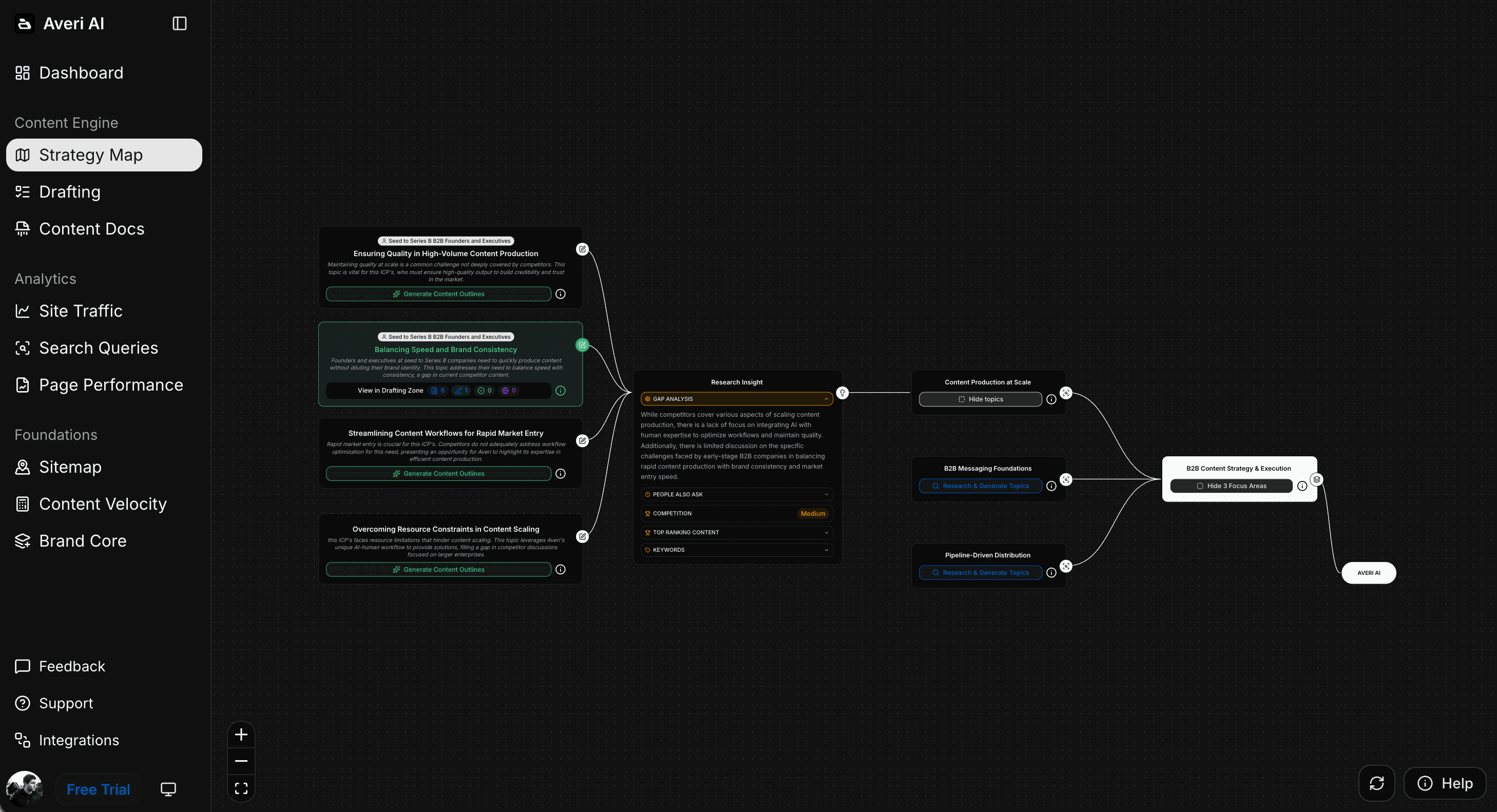
Skip the Spreadsheet. Start With the Engine.

Every framework in this article works manually. The three-view calendar. The topic pipeline. The overlap method. The quarterly cadence. You can run all of it from a Google Sheet and produce real results.

Most people don't. The calendar gets built in week 1. The first blog post gets published in week 2. By week 5, the spreadsheet is stale and the blog posts stop. Not because the framework is wrong. Because 15–20 hours of weekly content production on top of Flodesk emails isn't sustainable for solo creators and small teams.

Averi exists to make the framework sustainable. It handles the content planning, keyword research, drafting, optimization, publishing, and analytics. You handle the editorial judgment and the Flodesk emails. The system runs because the hardest parts are automated.

Averi grew organic traffic 6,000% in 10 months using the same engine now available to Flodesk users. Fourteen-day free trial. No credit card.

Your content strategy generates in one afternoon. Your first blog post is in review by midweek. Your Flodesk list starts growing from organic search within months.

Start free today

Related Resources

FAQs

Does Flodesk have a content calendar feature?

Flodesk allows you to schedule emails and set up automated workflow sequences, but it does not include a content calendar, editorial planning dashboard, or any tool for coordinating blog content alongside email. Planning across both channels requires an external system: a spreadsheet, project management tool, or a content engine like Averi that generates and manages the blog content pipeline automatically. Flodesk handles email scheduling. The content calendar lives outside Flodesk.

How do I plan blog content and Flodesk emails together?

Use a unified content calendar with three views: a monthly overview showing what publishes where, a weekly execution plan with daily tasks and time estimates, and a topic pipeline of validated ideas. Alternate between blog-connected weeks (where the Flodesk email extracts from the blog post) and email-only weeks (standalone email topics). This rhythm produces 2 blog posts per month alongside your regular Flodesk schedule. Choose topics using the overlap method: cross-reference Flodesk engagement data with keyword research to find topics that serve both channels.

How often should I publish blog content alongside Flodesk emails?

Two blog posts per month is the minimum viable cadence for building organic traffic alongside your Flodesk email schedule. Companies publishing consistently see up to 200% more organic traffic than sporadic publishers. If you can manage weekly blog posts, the compounding effect accelerates. The key is sustainability: pick a cadence you can maintain for at least 6 months. Posts over 1,890 words earn 77% more backlinks, so fewer high-quality posts outperform more frequent thin ones.

What content calendar tools work with Flodesk?

A Google Sheet or Notion database works for solo creators at low volume. Trello or Asana with calendar views add better visibility for slightly larger operations. Averi's content queue replaces both the planning and production layers by generating keyword-backed topic recommendations, managing the drafting workflow, and tracking performance through built-in analytics. None of these integrate directly with Flodesk's email scheduling, so you'll manage email timing in Flodesk and blog content planning in your external calendar tool.

How do I find blog topics that support my Flodesk emails?

Start with your Flodesk analytics. Identify your highest-performing emails by open rate, click rate, and reply rate. Run those topics through a keyword research tool to check for search demand (200+ monthly searches, difficulty below 40 for newer domains). Topics with both audience engagement and search volume are your "both channel" topics. Group related topics into clusters of 4–6 posts that link to each other. Build one post per cluster per month on your content calendar.

How does Averi replace a content calendar for Flodesk users?

Averi's content queue functions as a data-driven content calendar that generates topic recommendations based on keyword research, competitor analysis, and your existing content's performance. Instead of manually planning topics each quarter, the queue updates weekly with validated recommendations. When you approve a topic, Averi moves directly to research and drafting. Performance data feeds back into future recommendations. For Flodesk users, the blog content pipeline runs through Averi (topics → drafts → publishing → analytics) while email scheduling stays in Flodesk. Both reference the same topics through the blog-to-email extraction workflow.

How long before a content calendar produces results for my Flodesk list?

Following the 12-week starter calendar, expect 8 blog posts published by week 12, with early Google Search Console data showing which keywords gain traction. Meaningful organic subscriber flow into your Flodesk list typically starts around month 4–6, accelerating after month 6 as domain authority builds. New blog content commonly takes 3–6 months to reach stable rankings. The content calendar ensures you publish consistently through the slow early period, which is where most Flodesk users quit. The ones who sustain it for 6–12 months are the ones whose organic traffic compounds.


Continue Reading

The latest handpicked blog articles

Experience The AI Content Engine

Already have an account?

Join 30,000+ Founders, Marketers & Builders

Don't Feed the Algorithm

“Top 3 tech + AI newsletters in the country. Always sharp, always actionable.”

"Genuinely my favorite newsletter in tech. No fluff, no cheesy ads, just great content."

“Clear, practical, and on-point. Helps me keep up without drowning in noise.”

User-Generated Content & Authenticity in the Age of AI

Alyssa Lurie

Head of Customer Success

6 minutes

In This Article

This is the guide to building a content calendar that coordinates your Flodesk emails and blog content on one plan, so both channels reinforce each other instead of operating in silos.

Don’t Feed the Algorithm

The algorithm never sleeps, but you don’t have to feed it — Join our weekly newsletter for real insights on AI, human creativity & marketing execution.

TL;DR

📅 Flodesk schedules emails. It doesn't plan content strategy, coordinate blog + email topics, or provide a content calendar view.

📋 The unified calendar has 3 views: monthly overview (what publishes where), weekly execution plan (daily tasks with time estimates), and topic pipeline (6–8 validated topics always ready)

🔄 Alternate blog-connected weeks (blog post → email extraction) with email-only weeks. 2 blog posts/month alongside regular Flodesk emails.

🎯 Choose blog topics using the overlap method: Flodesk engagement data + keyword research = topics that work for both channels

📊 Quarterly planning cadence: review performance, refill pipeline, map clusters, set one measurable goal (60–90 min every 3 months)

🔧 Averi is the recommended calendar tool for Flodesk users: it combines planning, production, and analytics in one system. $99/mo, ~2 hrs/week. Replaces the spreadsheet, the SEO tools, and the writing time.

⚡ 12-week starter calendar included. 8 blog posts published. 1–2 topic clusters built. System running by week 12.

"We built Averi around the exact workflow we've used to scale our web traffic over 6000% in the last 6 months."

founder-image
founder-image
Your content should be working harder.

Averi's content engine builds Google entity authority, drives AI citations, and scales your visibility so you can get more customers.

Flodesk Content Calendar: How to Plan Email and Blog Content Together

Flodesk lets you schedule emails. It does not help you plan what to write, decide which topics to cover this month, coordinate blog content with email content, or see your entire content operation on one calendar.

That's a gap most Flodesk users feel before they can name it.

You're writing emails week to week, picking topics based on what feels right, and your blog (if you have one) operates on a completely separate track.

There's no system connecting what you publish on the web to what you send to your list. No visibility into how the two channels should feed each other.

Companies publishing weekly see up to 200% more organic traffic than sporadic publishers. Businesses with blogs generate 67% more leads. But those results come from consistent, strategic content, not random acts of publishing.

A content calendar is what turns "I should blog more" into a system that actually runs.

This is the guide to building a content calendar that coordinates your Flodesk emails and blog content on one plan, so both channels reinforce each other instead of operating in silos.

What Flodesk Gives You for Content Planning (And Where It Stops)

Flodesk's scheduling features are email-only. You can:

  • Schedule emails to send at specific dates and times

  • Set up automated workflow sequences triggered by subscriber actions

  • View your sent history and upcoming scheduled sends

That's the extent of it. There's no editorial calendar view. No content planning dashboard. No way to map blog topics alongside email topics. No integration with external content calendars or project management tools beyond Zapier connections.

For a solo creator sending one email per week, this might be enough. You keep the schedule in your head or a simple spreadsheet.

For anyone running both email and blog content, you need planning infrastructure that Flodesk doesn't provide. The calendar needs to show what you're publishing where, when, and why, connecting topics across channels so the work compounds.

The Unified Content Calendar Framework

A content calendar for Flodesk users managing both email and blog isn't complicated.

It needs three views: the monthly overview, the weekly execution plan, and the topic pipeline.

View 1: Monthly Overview

The monthly view shows what gets published where across 4 weeks. Here's the template:

Week 1

  • Blog: [Topic A] targeting [keyword] — publish Tuesday

  • Flodesk email: Extract from Topic A + link to full post — send Thursday

Week 2

  • Blog: No new post (or supporting post in Topic A's cluster)

  • Flodesk email: Original email-only topic [Topic B] — send Thursday

Week 3

  • Blog: [Topic C] targeting [keyword] — publish Tuesday

  • Flodesk email: Extract from Topic C + link to full post — send Thursday

Week 4

  • Blog: Refresh an older post based on Search Console data

  • Flodesk email: Original email-only topic [Topic D] — send Thursday

This rhythm produces 2 new blog posts per month alongside your regular Flodesk email schedule. The blog posts and emails alternate between connected topics (where the email extracts from the blog) and standalone email topics that work better as personal, opinion-driven content.

Two blog posts per month is the minimum viable cadence for building organic traffic. Compound blog posts generate 38% of all blog traffic from just 10% of total posts. Consistency over months matters more than volume in any single month.

View 2: Weekly Execution Plan

Zoom into each week. The execution plan tells you what to do each day.

For blog-connected weeks (Weeks 1 and 3):

Day

Task

Time

Tool

Monday

Write/finalize blog post (or review Averi draft)

45–90 min

Blog CMS or Averi

Tuesday

Publish blog post. Submit to Google Search Console.

10 min

Blog CMS

Wednesday

Extract email angle from blog post. Draft in Flodesk.

20–30 min

Flodesk

Thursday

Send Flodesk email with link to blog post

5 min

Flodesk

Friday

Check early engagement on both pieces

10 min

Flodesk analytics + GSC

For email-only weeks (Weeks 2 and 4):

Day

Task

Time

Tool

Monday

Outline email topic

15 min

Notes/Docs

Tuesday

Draft email in Flodesk

30–60 min

Flodesk

Wednesday

Review and schedule

10 min

Flodesk

Thursday

Email sends

0 min

Flodesk (automated)

Friday

Review last month's blog analytics. Flag refresh candidates.

15 min

Google Search Console

The alternating rhythm keeps both channels active without either one demanding more than a few hours per week.

Total weekly time on content planning and production: 2–4 hours, depending on whether it's a blog week or email-only week.

View 3: Topic Pipeline

The topic pipeline is a running list of content ideas organized by type and readiness. This is where most content calendars break down.

People plan the current month but have no backlog for future months. The pipeline fixes that.

Pipeline structure:

Ready to produce (validated keyword + clear angle):

  • "Best email subject line formulas for 2026" — KW: email subject lines, Vol: 2,400

  • "How to sell digital products without a website" — KW: sell digital products, Vol: 1,900

  • "Flodesk vs. Mailchimp for creative businesses" — KW: flodesk vs mailchimp, Vol: 880

Needs keyword validation (good topic, search demand unknown):

  • "Why most welcome sequences fail"

  • "The case for ugly emails"

  • "What I learned from 100 A/B tests"

Email-only ideas (personal, time-sensitive, no search demand):

  • Hot take on the latest AI announcement

  • Behind-the-scenes of last month's launch

  • Reader Q&A roundup

Feed the pipeline weekly. Pull from your Flodesk analytics (what topics got the highest open rates), from subscriber replies (what questions keep coming up), and from keyword research tools (what your audience searches for on Google).

The pipeline should always have 6–8 blog topics validated and ready. That's 3–4 months of content at 2 posts per month. You should never sit down on Monday morning wondering what to write.

How to Choose Blog Topics That Support Your Flodesk Emails

The calendar works best when blog and email topics come from the same strategic foundation. Random blogging alongside random emailing is two separate workloads. Connected blogging and emailing is one workload producing two outputs.

The Topic Overlap Method

Start with your Flodesk engagement data. Which emails got the highest:

  • Open rates (topic resonance)

  • Click-through rates (actionability)

  • Reply rates (emotional engagement)

  • Forward rates (share-worthy)

Cross-reference those topics with keyword research. Businesses that prioritize blogging are 13x more likely to see positive ROI. That ROI comes from topics that have both audience interest and search demand.

Example for a creative business coach using Flodesk:

Flodesk email topic (high engagement)

Blog keyword match

Monthly search volume

"How I price my coaching packages"

"how to price coaching services"

720

"3 mistakes killing your sales page"

"sales page mistakes"

480

"Why I stopped posting on Instagram daily"

"should I post on instagram every day"

1,300

"My client onboarding template"

"client onboarding template"

2,100

The first column comes from your Flodesk data. The second column comes from keyword research. Together, they tell you which topics to turn into blog posts.

Building Topic Clusters

Don't plan blog topics as isolated pieces. Group them into clusters of 4–6 related posts that link to each other. Each cluster builds topical authority, which tells Google you're a credible source on that subject.

For the coaching example above, one cluster might be:

  • Pillar: "The Complete Guide to Pricing Your Coaching Business"

  • Supporting: "How to Price Coaching Packages for New Coaches"

  • Supporting: "Premium vs. Affordable Coaching: Which Model Works?"

  • Supporting: "When to Raise Your Coaching Rates"

  • Supporting: "Pricing Mistakes That Kill Coaching Businesses"

Plan 1 post per cluster per month. In 5 months, the full cluster is complete. Each post links to the others. Google sees interconnected authority. Rankings improve across the whole cluster.

Map your clusters on the content calendar so you know which cluster you're building each month.

The Quarterly Planning Cadence

Monthly calendars handle execution. Quarterly planning handles strategy. Once every three months, spend 60–90 minutes on these five tasks:

1. Review Flodesk performance data. Which email topics drove the most engagement? Those are signals for Q2 blog topics. Which topics fell flat? Skip those.

2. Review blog performance data. In Google Search Console, which posts gained impressions? Which climbed in rankings? Which need refreshing? Updating existing content can boost organic traffic by 106%. Schedule refreshes into next quarter's calendar.

3. Refill the topic pipeline. Validate 6–8 new blog topics with keyword research. Add them to the "Ready to produce" section of your pipeline.

4. Plan the next quarter's clusters. Which topic clusters will you build or extend? Map 1 blog post per cluster per month across the quarter.

5. Set one measurable goal. "Grow organic traffic by 50%." "Add 200 blog-sourced subscribers to Flodesk." "Publish 6 new blog posts." Pick one number. Track it.

This quarterly rhythm prevents the drift that kills content calendars. Without it, most creators publish enthusiastically for 6 weeks and then stop. With it, you know what you're building, why, and whether it's working.

Content Calendar Tools That Work With Flodesk

Flodesk doesn't have a content calendar feature. You need an external system. Most Flodesk creators start with spreadsheets, realize they need something better, and end up assembling 3–4 tools before landing on the system that actually works. Here's the shortcut.

The Recommended Option: Averi ($99/month)

Everything in this article so far, the three-view calendar, the topic pipeline, the quarterly planning, the cluster mapping, describes a system you can build manually.

Averi is what happens when that system is built for you and connected directly to content production.

Averi's content queue isn't just a calendar. It's a data-driven planning engine that also produces the content it plans.

Here's how it replaces each manual step in this guide:

The monthly overview? Averi's queue generates topic recommendations weekly with target keywords, search volume, competitive difficulty, and strategic rationale. You see what to publish and why. No manual keyword research. No separate Ahrefs or SEMrush subscription ($99–$199/month saved).

The topic pipeline? The queue is the pipeline. It always has 6–8+ validated topics ready. As you publish content and Averi tracks performance, new recommendations adjust based on what's working. Topics in clusters with strong momentum get prioritized automatically.

The weekly execution plan? When you approve a topic, Averi moves straight to research and drafting. The "planned" item becomes a draft in review. You edit in the collaborative canvas (30–45 minutes), adding your voice and perspective. Averi publishes directly to WordPress, Webflow, or Framer. The execution plan collapses from a 5-day process to a 2-day process.

The quarterly planning? Averi's analytics integration with Google Analytics and Search Console tracks which content drives traffic and rankings. The 60–90 minute quarterly review becomes a 15-minute performance check because the data is already organized. Future recommendations update based on results.

The topic cluster mapping? Averi generates topic clusters during onboarding by analyzing your website, audience, and competitors. Clusters build over time. Internal link suggestions connect new posts to existing ones automatically.

The blog-to-email extraction? Averi produces the blog post. You pull the sharpest insight for your Flodesk email in 15–20 minutes. The blog handles discovery. Flodesk handles distribution. Averi handles everything between.

The calendar and the content engine are the same system. Your Flodesk email schedule stays in Flodesk. Your blog content pipeline runs through Averi. Both reference the same topics because the blog-to-email extraction workflow connects them.

Total time: ~2 hours/week on blog content alongside your normal Flodesk email production.

Cost: $99/month (Solo plan). 14-day free trial. No credit card required.

The Budget Option: Spreadsheet or Notion (Free)

A Google Sheet or Notion database with columns for Date, Channel (Blog/Email), Topic, Target Keyword, Status (Planned/Draft/Published), and URL. Simple. Flexible. Entirely manual.

This works if you're publishing 2 blog posts and 4 emails per month and you're willing to do keyword research, content writing, SEO optimization, publishing, and analytics tracking yourself.

Budget: free.

Time: 15–20 hours/week for content production on top of your Flodesk emails.

The Middle Option: Project Management Tool ($0–$20/month)

Trello, Asana, or Notion with a calendar view. Create cards for each content piece. Tag by channel, status, and topic cluster. Move through stages: Idea → Researched → Drafted → Published.

Better visibility than a spreadsheet. Integrates with other tools through Zapier. Still manual on the content production side. The tool organizes your plan. It doesn't execute it.

Putting It All Together: The 12-Week Starter Calendar

Here's a ready-to-use 12-week calendar for a Flodesk user adding blog content for the first time.

Weeks 1–2: Setup

  • Set up your blog (WordPress, Webflow, or Framer)

  • Embed Flodesk subscribe forms on every page

  • Connect Google Search Console

  • Build your Flodesk welcome automation (3 emails)

  • Validate 6 blog topics with keyword research (or start Averi's free trial to generate them automatically)

Weeks 3–4: First Blog Posts

  • Publish Blog Post #1 targeting your highest-confidence keyword

  • Flodesk email extracts the key insight + links to the full post

  • Publish Blog Post #2 in the same topic cluster

  • Flodesk email: original topic (email-only)

Weeks 5–6: Continue Building

  • Publish Blog Post #3 (new cluster or supporting post)

  • Flodesk email extracts from Blog Post #3

  • Publish Blog Post #4

  • Flodesk email: original topic

Weeks 7–8: First Check-In

  • Review Google Search Console: which keywords are gaining impressions?

  • Review Flodesk analytics: which blog-linked emails performed best?

  • Refresh Blog Post #1 if early data suggests optimization opportunities

  • Continue publishing: Blog Post #5 + email extract, Blog Post #6 + email

Weeks 9–10: Cluster Development

  • You now have 6 posts forming 1–2 topic clusters

  • Add internal links between all posts in each cluster

  • Publish Blog Posts #7–8

  • Continue the email extraction rhythm

Weeks 11–12: Quarterly Review

  • Full performance review: organic impressions, clicks, subscriber conversions

  • Refill topic pipeline for next quarter

  • Plan which clusters to build or extend in months 4–6

  • Set a measurable goal for Q2

After 12 weeks: 8 blog posts live. 1–2 topic clusters established. Google indexing your content. Early ranking signals showing. Flodesk subscribers arriving from organic search. The system is running.

After 6 months at this pace: 24 blog posts. Multiple topic clusters. Compound posts generating consistent traffic. Organic subscribers becoming a meaningful growth channel for your Flodesk list.

Skip the Spreadsheet. Start With the Engine.

Every framework in this article works manually. The three-view calendar. The topic pipeline. The overlap method. The quarterly cadence. You can run all of it from a Google Sheet and produce real results.

Most people don't. The calendar gets built in week 1. The first blog post gets published in week 2. By week 5, the spreadsheet is stale and the blog posts stop. Not because the framework is wrong. Because 15–20 hours of weekly content production on top of Flodesk emails isn't sustainable for solo creators and small teams.

Averi exists to make the framework sustainable. It handles the content planning, keyword research, drafting, optimization, publishing, and analytics. You handle the editorial judgment and the Flodesk emails. The system runs because the hardest parts are automated.

Averi grew organic traffic 6,000% in 10 months using the same engine now available to Flodesk users. Fourteen-day free trial. No credit card.

Your content strategy generates in one afternoon. Your first blog post is in review by midweek. Your Flodesk list starts growing from organic search within months.

Start free today

Related Resources

Continue Reading

The latest handpicked blog articles

Join 30,000+ Founders, Marketers & Builders

Don't Feed the Algorithm

“Top 3 tech + AI newsletters in the country. Always sharp, always actionable.”

"Genuinely my favorite newsletter in tech. No fluff, no cheesy ads, just great content."

“Clear, practical, and on-point. Helps me keep up without drowning in noise.”

User-Generated Content & Authenticity in the Age of AI

Alyssa Lurie

Head of Customer Success

6 minutes

In This Article

This is the guide to building a content calendar that coordinates your Flodesk emails and blog content on one plan, so both channels reinforce each other instead of operating in silos.

Don’t Feed the Algorithm

The algorithm never sleeps, but you don’t have to feed it — Join our weekly newsletter for real insights on AI, human creativity & marketing execution.

Trusted by 1,000+ teams

★★★★★ 4.9/5

Startups use Averi to build
content engines that rank.

Flodesk Content Calendar: How to Plan Email and Blog Content Together

Flodesk lets you schedule emails. It does not help you plan what to write, decide which topics to cover this month, coordinate blog content with email content, or see your entire content operation on one calendar.

That's a gap most Flodesk users feel before they can name it.

You're writing emails week to week, picking topics based on what feels right, and your blog (if you have one) operates on a completely separate track.

There's no system connecting what you publish on the web to what you send to your list. No visibility into how the two channels should feed each other.

Companies publishing weekly see up to 200% more organic traffic than sporadic publishers. Businesses with blogs generate 67% more leads. But those results come from consistent, strategic content, not random acts of publishing.

A content calendar is what turns "I should blog more" into a system that actually runs.

This is the guide to building a content calendar that coordinates your Flodesk emails and blog content on one plan, so both channels reinforce each other instead of operating in silos.

What Flodesk Gives You for Content Planning (And Where It Stops)

Flodesk's scheduling features are email-only. You can:

  • Schedule emails to send at specific dates and times

  • Set up automated workflow sequences triggered by subscriber actions

  • View your sent history and upcoming scheduled sends

That's the extent of it. There's no editorial calendar view. No content planning dashboard. No way to map blog topics alongside email topics. No integration with external content calendars or project management tools beyond Zapier connections.

For a solo creator sending one email per week, this might be enough. You keep the schedule in your head or a simple spreadsheet.

For anyone running both email and blog content, you need planning infrastructure that Flodesk doesn't provide. The calendar needs to show what you're publishing where, when, and why, connecting topics across channels so the work compounds.

The Unified Content Calendar Framework

A content calendar for Flodesk users managing both email and blog isn't complicated.

It needs three views: the monthly overview, the weekly execution plan, and the topic pipeline.

View 1: Monthly Overview

The monthly view shows what gets published where across 4 weeks. Here's the template:

Week 1

  • Blog: [Topic A] targeting [keyword] — publish Tuesday

  • Flodesk email: Extract from Topic A + link to full post — send Thursday

Week 2

  • Blog: No new post (or supporting post in Topic A's cluster)

  • Flodesk email: Original email-only topic [Topic B] — send Thursday

Week 3

  • Blog: [Topic C] targeting [keyword] — publish Tuesday

  • Flodesk email: Extract from Topic C + link to full post — send Thursday

Week 4

  • Blog: Refresh an older post based on Search Console data

  • Flodesk email: Original email-only topic [Topic D] — send Thursday

This rhythm produces 2 new blog posts per month alongside your regular Flodesk email schedule. The blog posts and emails alternate between connected topics (where the email extracts from the blog) and standalone email topics that work better as personal, opinion-driven content.

Two blog posts per month is the minimum viable cadence for building organic traffic. Compound blog posts generate 38% of all blog traffic from just 10% of total posts. Consistency over months matters more than volume in any single month.

View 2: Weekly Execution Plan

Zoom into each week. The execution plan tells you what to do each day.

For blog-connected weeks (Weeks 1 and 3):

Day

Task

Time

Tool

Monday

Write/finalize blog post (or review Averi draft)

45–90 min

Blog CMS or Averi

Tuesday

Publish blog post. Submit to Google Search Console.

10 min

Blog CMS

Wednesday

Extract email angle from blog post. Draft in Flodesk.

20–30 min

Flodesk

Thursday

Send Flodesk email with link to blog post

5 min

Flodesk

Friday

Check early engagement on both pieces

10 min

Flodesk analytics + GSC

For email-only weeks (Weeks 2 and 4):

Day

Task

Time

Tool

Monday

Outline email topic

15 min

Notes/Docs

Tuesday

Draft email in Flodesk

30–60 min

Flodesk

Wednesday

Review and schedule

10 min

Flodesk

Thursday

Email sends

0 min

Flodesk (automated)

Friday

Review last month's blog analytics. Flag refresh candidates.

15 min

Google Search Console

The alternating rhythm keeps both channels active without either one demanding more than a few hours per week.

Total weekly time on content planning and production: 2–4 hours, depending on whether it's a blog week or email-only week.

View 3: Topic Pipeline

The topic pipeline is a running list of content ideas organized by type and readiness. This is where most content calendars break down.

People plan the current month but have no backlog for future months. The pipeline fixes that.

Pipeline structure:

Ready to produce (validated keyword + clear angle):

  • "Best email subject line formulas for 2026" — KW: email subject lines, Vol: 2,400

  • "How to sell digital products without a website" — KW: sell digital products, Vol: 1,900

  • "Flodesk vs. Mailchimp for creative businesses" — KW: flodesk vs mailchimp, Vol: 880

Needs keyword validation (good topic, search demand unknown):

  • "Why most welcome sequences fail"

  • "The case for ugly emails"

  • "What I learned from 100 A/B tests"

Email-only ideas (personal, time-sensitive, no search demand):

  • Hot take on the latest AI announcement

  • Behind-the-scenes of last month's launch

  • Reader Q&A roundup

Feed the pipeline weekly. Pull from your Flodesk analytics (what topics got the highest open rates), from subscriber replies (what questions keep coming up), and from keyword research tools (what your audience searches for on Google).

The pipeline should always have 6–8 blog topics validated and ready. That's 3–4 months of content at 2 posts per month. You should never sit down on Monday morning wondering what to write.

How to Choose Blog Topics That Support Your Flodesk Emails

The calendar works best when blog and email topics come from the same strategic foundation. Random blogging alongside random emailing is two separate workloads. Connected blogging and emailing is one workload producing two outputs.

The Topic Overlap Method

Start with your Flodesk engagement data. Which emails got the highest:

  • Open rates (topic resonance)

  • Click-through rates (actionability)

  • Reply rates (emotional engagement)

  • Forward rates (share-worthy)

Cross-reference those topics with keyword research. Businesses that prioritize blogging are 13x more likely to see positive ROI. That ROI comes from topics that have both audience interest and search demand.

Example for a creative business coach using Flodesk:

Flodesk email topic (high engagement)

Blog keyword match

Monthly search volume

"How I price my coaching packages"

"how to price coaching services"

720

"3 mistakes killing your sales page"

"sales page mistakes"

480

"Why I stopped posting on Instagram daily"

"should I post on instagram every day"

1,300

"My client onboarding template"

"client onboarding template"

2,100

The first column comes from your Flodesk data. The second column comes from keyword research. Together, they tell you which topics to turn into blog posts.

Building Topic Clusters

Don't plan blog topics as isolated pieces. Group them into clusters of 4–6 related posts that link to each other. Each cluster builds topical authority, which tells Google you're a credible source on that subject.

For the coaching example above, one cluster might be:

  • Pillar: "The Complete Guide to Pricing Your Coaching Business"

  • Supporting: "How to Price Coaching Packages for New Coaches"

  • Supporting: "Premium vs. Affordable Coaching: Which Model Works?"

  • Supporting: "When to Raise Your Coaching Rates"

  • Supporting: "Pricing Mistakes That Kill Coaching Businesses"

Plan 1 post per cluster per month. In 5 months, the full cluster is complete. Each post links to the others. Google sees interconnected authority. Rankings improve across the whole cluster.

Map your clusters on the content calendar so you know which cluster you're building each month.

The Quarterly Planning Cadence

Monthly calendars handle execution. Quarterly planning handles strategy. Once every three months, spend 60–90 minutes on these five tasks:

1. Review Flodesk performance data. Which email topics drove the most engagement? Those are signals for Q2 blog topics. Which topics fell flat? Skip those.

2. Review blog performance data. In Google Search Console, which posts gained impressions? Which climbed in rankings? Which need refreshing? Updating existing content can boost organic traffic by 106%. Schedule refreshes into next quarter's calendar.

3. Refill the topic pipeline. Validate 6–8 new blog topics with keyword research. Add them to the "Ready to produce" section of your pipeline.

4. Plan the next quarter's clusters. Which topic clusters will you build or extend? Map 1 blog post per cluster per month across the quarter.

5. Set one measurable goal. "Grow organic traffic by 50%." "Add 200 blog-sourced subscribers to Flodesk." "Publish 6 new blog posts." Pick one number. Track it.

This quarterly rhythm prevents the drift that kills content calendars. Without it, most creators publish enthusiastically for 6 weeks and then stop. With it, you know what you're building, why, and whether it's working.

Content Calendar Tools That Work With Flodesk

Flodesk doesn't have a content calendar feature. You need an external system. Most Flodesk creators start with spreadsheets, realize they need something better, and end up assembling 3–4 tools before landing on the system that actually works. Here's the shortcut.

The Recommended Option: Averi ($99/month)

Everything in this article so far, the three-view calendar, the topic pipeline, the quarterly planning, the cluster mapping, describes a system you can build manually.

Averi is what happens when that system is built for you and connected directly to content production.

Averi's content queue isn't just a calendar. It's a data-driven planning engine that also produces the content it plans.

Here's how it replaces each manual step in this guide:

The monthly overview? Averi's queue generates topic recommendations weekly with target keywords, search volume, competitive difficulty, and strategic rationale. You see what to publish and why. No manual keyword research. No separate Ahrefs or SEMrush subscription ($99–$199/month saved).

The topic pipeline? The queue is the pipeline. It always has 6–8+ validated topics ready. As you publish content and Averi tracks performance, new recommendations adjust based on what's working. Topics in clusters with strong momentum get prioritized automatically.

The weekly execution plan? When you approve a topic, Averi moves straight to research and drafting. The "planned" item becomes a draft in review. You edit in the collaborative canvas (30–45 minutes), adding your voice and perspective. Averi publishes directly to WordPress, Webflow, or Framer. The execution plan collapses from a 5-day process to a 2-day process.

The quarterly planning? Averi's analytics integration with Google Analytics and Search Console tracks which content drives traffic and rankings. The 60–90 minute quarterly review becomes a 15-minute performance check because the data is already organized. Future recommendations update based on results.

The topic cluster mapping? Averi generates topic clusters during onboarding by analyzing your website, audience, and competitors. Clusters build over time. Internal link suggestions connect new posts to existing ones automatically.

The blog-to-email extraction? Averi produces the blog post. You pull the sharpest insight for your Flodesk email in 15–20 minutes. The blog handles discovery. Flodesk handles distribution. Averi handles everything between.

The calendar and the content engine are the same system. Your Flodesk email schedule stays in Flodesk. Your blog content pipeline runs through Averi. Both reference the same topics because the blog-to-email extraction workflow connects them.

Total time: ~2 hours/week on blog content alongside your normal Flodesk email production.

Cost: $99/month (Solo plan). 14-day free trial. No credit card required.

The Budget Option: Spreadsheet or Notion (Free)

A Google Sheet or Notion database with columns for Date, Channel (Blog/Email), Topic, Target Keyword, Status (Planned/Draft/Published), and URL. Simple. Flexible. Entirely manual.

This works if you're publishing 2 blog posts and 4 emails per month and you're willing to do keyword research, content writing, SEO optimization, publishing, and analytics tracking yourself.

Budget: free.

Time: 15–20 hours/week for content production on top of your Flodesk emails.

The Middle Option: Project Management Tool ($0–$20/month)

Trello, Asana, or Notion with a calendar view. Create cards for each content piece. Tag by channel, status, and topic cluster. Move through stages: Idea → Researched → Drafted → Published.

Better visibility than a spreadsheet. Integrates with other tools through Zapier. Still manual on the content production side. The tool organizes your plan. It doesn't execute it.

Putting It All Together: The 12-Week Starter Calendar

Here's a ready-to-use 12-week calendar for a Flodesk user adding blog content for the first time.

Weeks 1–2: Setup

  • Set up your blog (WordPress, Webflow, or Framer)

  • Embed Flodesk subscribe forms on every page

  • Connect Google Search Console

  • Build your Flodesk welcome automation (3 emails)

  • Validate 6 blog topics with keyword research (or start Averi's free trial to generate them automatically)

Weeks 3–4: First Blog Posts

  • Publish Blog Post #1 targeting your highest-confidence keyword

  • Flodesk email extracts the key insight + links to the full post

  • Publish Blog Post #2 in the same topic cluster

  • Flodesk email: original topic (email-only)

Weeks 5–6: Continue Building

  • Publish Blog Post #3 (new cluster or supporting post)

  • Flodesk email extracts from Blog Post #3

  • Publish Blog Post #4

  • Flodesk email: original topic

Weeks 7–8: First Check-In

  • Review Google Search Console: which keywords are gaining impressions?

  • Review Flodesk analytics: which blog-linked emails performed best?

  • Refresh Blog Post #1 if early data suggests optimization opportunities

  • Continue publishing: Blog Post #5 + email extract, Blog Post #6 + email

Weeks 9–10: Cluster Development

  • You now have 6 posts forming 1–2 topic clusters

  • Add internal links between all posts in each cluster

  • Publish Blog Posts #7–8

  • Continue the email extraction rhythm

Weeks 11–12: Quarterly Review

  • Full performance review: organic impressions, clicks, subscriber conversions

  • Refill topic pipeline for next quarter

  • Plan which clusters to build or extend in months 4–6

  • Set a measurable goal for Q2

After 12 weeks: 8 blog posts live. 1–2 topic clusters established. Google indexing your content. Early ranking signals showing. Flodesk subscribers arriving from organic search. The system is running.

After 6 months at this pace: 24 blog posts. Multiple topic clusters. Compound posts generating consistent traffic. Organic subscribers becoming a meaningful growth channel for your Flodesk list.

Skip the Spreadsheet. Start With the Engine.

Every framework in this article works manually. The three-view calendar. The topic pipeline. The overlap method. The quarterly cadence. You can run all of it from a Google Sheet and produce real results.

Most people don't. The calendar gets built in week 1. The first blog post gets published in week 2. By week 5, the spreadsheet is stale and the blog posts stop. Not because the framework is wrong. Because 15–20 hours of weekly content production on top of Flodesk emails isn't sustainable for solo creators and small teams.

Averi exists to make the framework sustainable. It handles the content planning, keyword research, drafting, optimization, publishing, and analytics. You handle the editorial judgment and the Flodesk emails. The system runs because the hardest parts are automated.

Averi grew organic traffic 6,000% in 10 months using the same engine now available to Flodesk users. Fourteen-day free trial. No credit card.

Your content strategy generates in one afternoon. Your first blog post is in review by midweek. Your Flodesk list starts growing from organic search within months.

Start free today

Related Resources

"We built Averi around the exact workflow we've used to scale our web traffic over 6000% in the last 6 months."

founder-image
founder-image
Your content should be working harder.

Averi's content engine builds Google entity authority, drives AI citations, and scales your visibility so you can get more customers.

FAQs

Following the 12-week starter calendar, expect 8 blog posts published by week 12, with early Google Search Console data showing which keywords gain traction. Meaningful organic subscriber flow into your Flodesk list typically starts around month 4–6, accelerating after month 6 as domain authority builds. New blog content commonly takes 3–6 months to reach stable rankings. The content calendar ensures you publish consistently through the slow early period, which is where most Flodesk users quit. The ones who sustain it for 6–12 months are the ones whose organic traffic compounds.
How long before a content calendar produces results for my Flodesk list?

Averi's content queue functions as a data-driven content calendar that generates topic recommendations based on keyword research, competitor analysis, and your existing content's performance. Instead of manually planning topics each quarter, the queue updates weekly with validated recommendations. When you approve a topic, Averi moves directly to research and drafting. Performance data feeds back into future recommendations. For Flodesk users, the blog content pipeline runs through Averi (topics → drafts → publishing → analytics) while email scheduling stays in Flodesk. Both reference the same topics through the blog-to-email extraction workflow.

How does Averi replace a content calendar for Flodesk users?

Start with your Flodesk analytics. Identify your highest-performing emails by open rate, click rate, and reply rate. Run those topics through a keyword research tool to check for search demand (200+ monthly searches, difficulty below 40 for newer domains). Topics with both audience engagement and search volume are your "both channel" topics. Group related topics into clusters of 4–6 posts that link to each other. Build one post per cluster per month on your content calendar.

How do I find blog topics that support my Flodesk emails?

A Google Sheet or Notion database works for solo creators at low volume. Trello or Asana with calendar views add better visibility for slightly larger operations. Averi's content queue replaces both the planning and production layers by generating keyword-backed topic recommendations, managing the drafting workflow, and tracking performance through built-in analytics. None of these integrate directly with Flodesk's email scheduling, so you'll manage email timing in Flodesk and blog content planning in your external calendar tool.

What content calendar tools work with Flodesk?

Two blog posts per month is the minimum viable cadence for building organic traffic alongside your Flodesk email schedule. Companies publishing consistently see up to 200% more organic traffic than sporadic publishers. If you can manage weekly blog posts, the compounding effect accelerates. The key is sustainability: pick a cadence you can maintain for at least 6 months. Posts over 1,890 words earn 77% more backlinks, so fewer high-quality posts outperform more frequent thin ones.

How often should I publish blog content alongside Flodesk emails?

Use a unified content calendar with three views: a monthly overview showing what publishes where, a weekly execution plan with daily tasks and time estimates, and a topic pipeline of validated ideas. Alternate between blog-connected weeks (where the Flodesk email extracts from the blog post) and email-only weeks (standalone email topics). This rhythm produces 2 blog posts per month alongside your regular Flodesk schedule. Choose topics using the overlap method: cross-reference Flodesk engagement data with keyword research to find topics that serve both channels.

How do I plan blog content and Flodesk emails together?

Flodesk allows you to schedule emails and set up automated workflow sequences, but it does not include a content calendar, editorial planning dashboard, or any tool for coordinating blog content alongside email. Planning across both channels requires an external system: a spreadsheet, project management tool, or a content engine like Averi that generates and manages the blog content pipeline automatically. Flodesk handles email scheduling. The content calendar lives outside Flodesk.

Does Flodesk have a content calendar feature?

FAQs

How long does it take to see SEO results for B2B SaaS?

Expect 7 months to break-even on average, with meaningful traffic improvements typically appearing within 3-6 months. Link building results appear within 1-6 months. The key is consistency—companies that stop and start lose ground to those who execute continuously.

Is AI-generated content actually good for SEO?

62% of marketers report higher SERP rankings for AI-generated content—but only when properly edited and enhanced with human expertise. Pure AI content without human refinement often lacks the originality and depth that both readers and algorithms prefer.

Is AI-generated content actually good for SEO?

62% of marketers report higher SERP rankings for AI-generated content—but only when properly edited and enhanced with human expertise. Pure AI content without human refinement often lacks the originality and depth that both readers and algorithms prefer.

Is AI-generated content actually good for SEO?

62% of marketers report higher SERP rankings for AI-generated content—but only when properly edited and enhanced with human expertise. Pure AI content without human refinement often lacks the originality and depth that both readers and algorithms prefer.

Is AI-generated content actually good for SEO?

62% of marketers report higher SERP rankings for AI-generated content—but only when properly edited and enhanced with human expertise. Pure AI content without human refinement often lacks the originality and depth that both readers and algorithms prefer.

Is AI-generated content actually good for SEO?

62% of marketers report higher SERP rankings for AI-generated content—but only when properly edited and enhanced with human expertise. Pure AI content without human refinement often lacks the originality and depth that both readers and algorithms prefer.

Is AI-generated content actually good for SEO?

62% of marketers report higher SERP rankings for AI-generated content—but only when properly edited and enhanced with human expertise. Pure AI content without human refinement often lacks the originality and depth that both readers and algorithms prefer.

Is AI-generated content actually good for SEO?

62% of marketers report higher SERP rankings for AI-generated content—but only when properly edited and enhanced with human expertise. Pure AI content without human refinement often lacks the originality and depth that both readers and algorithms prefer.

TL;DR

📅 Flodesk schedules emails. It doesn't plan content strategy, coordinate blog + email topics, or provide a content calendar view.

📋 The unified calendar has 3 views: monthly overview (what publishes where), weekly execution plan (daily tasks with time estimates), and topic pipeline (6–8 validated topics always ready)

🔄 Alternate blog-connected weeks (blog post → email extraction) with email-only weeks. 2 blog posts/month alongside regular Flodesk emails.

🎯 Choose blog topics using the overlap method: Flodesk engagement data + keyword research = topics that work for both channels

📊 Quarterly planning cadence: review performance, refill pipeline, map clusters, set one measurable goal (60–90 min every 3 months)

🔧 Averi is the recommended calendar tool for Flodesk users: it combines planning, production, and analytics in one system. $99/mo, ~2 hrs/week. Replaces the spreadsheet, the SEO tools, and the writing time.

⚡ 12-week starter calendar included. 8 blog posts published. 1–2 topic clusters built. System running by week 12.

Continue Reading

The latest handpicked blog articles

Join 30,000+ Founders, Marketers & Builders

Don't Feed the Algorithm

“Top 3 tech + AI newsletters in the country. Always sharp, always actionable.”

"Genuinely my favorite newsletter in tech. No fluff, no cheesy ads, just great content."

“Clear, practical, and on-point. Helps me keep up without drowning in noise.”

How strong is your content engine? Find out in 30 seconds.

Maybe later